
Iqama Status Check in Saudi Arabia (2026)
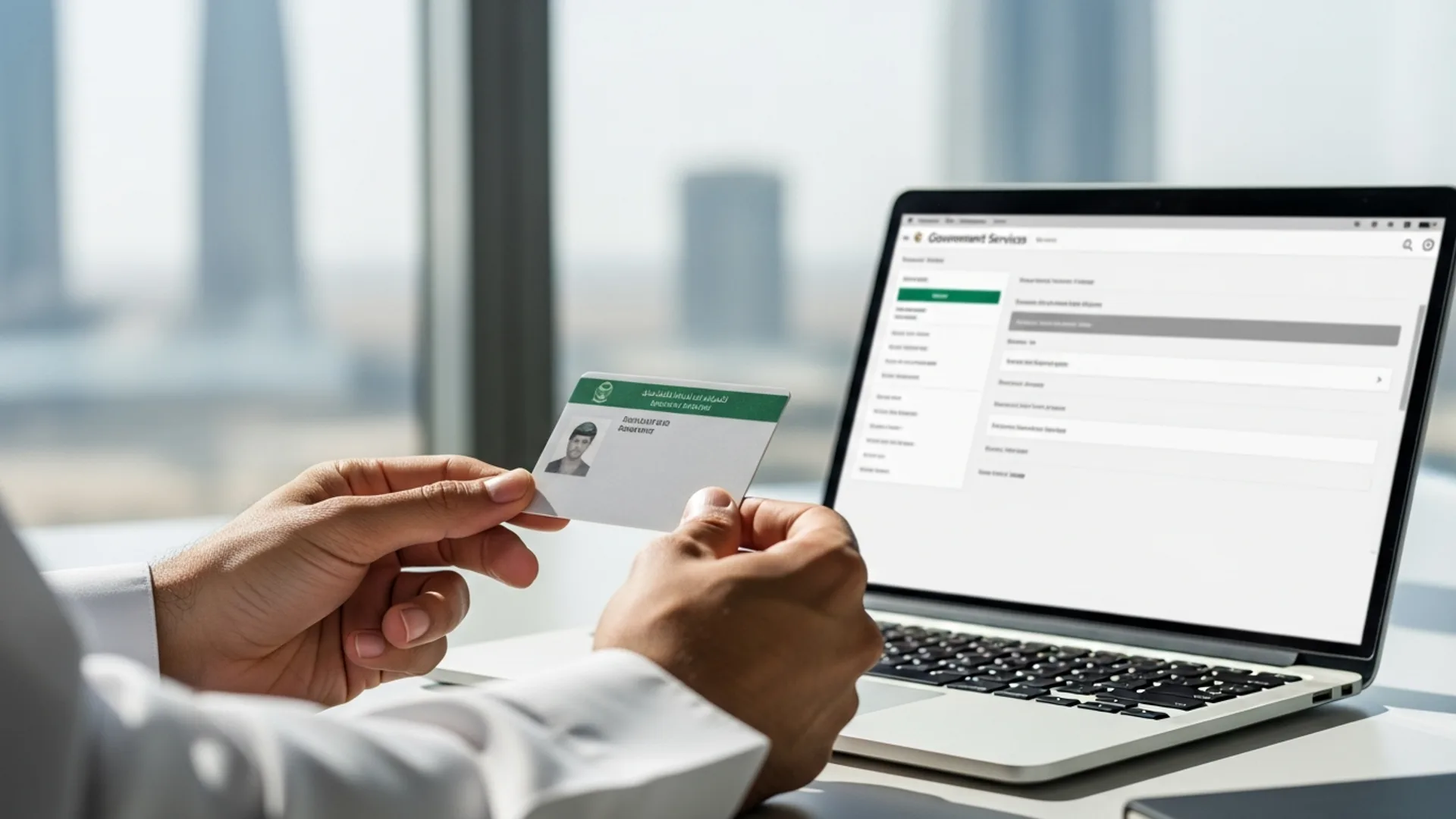
To run an iqama status check in Saudi Arabia, log in to the Absher portal (absher.sa) or the Muqeem platform (muqeem.sa), open the residency/iqama services section, and enter your 10-digit iqama number — the result shows your iqama validity, expiry date and status in under 2 minutes for free. Employers and individuals can verify residency validity, expiry dates and renewal status at any time, with the standard iqama renewal government fee running at an indicative SAR 650 per year plus applicable levies.
Whether you are an investor running a new entity, an HR manager handling dozens of work-permit renewals, or an individual professional confirming your own residency, knowing exactly how to check iqama status is one of the most practical skills in Saudi Arabia. This guide walks through every official channel — Absher, Muqeem, Qiwa and the Ministry of Foreign Affairs visa platform — step by step, names the exact screens, lists required IDs, and lays out indicative fees and timelines so nothing catches you off guard.
What an iqama status check actually tells you
The iqama (residency permit / إقامة) is the official residency card issued to expatriates living and working in the Kingdom of Saudi Arabia. An iqama status check is a quick verification — done online through government portals — that confirms whether a residency permit is currently valid, when it expires, and whether it is active, expired or pending renewal.
A complete status check typically returns several useful data points:
- Validity status — whether the iqama is active (valid) or expired.
- Expiry date — shown in both Hijri and Gregorian calendars, so you can plan renewals well ahead.
- Iqama number — the 10-digit residency ID linked to the holder.
- Sponsor / employer link — the registered establishment the residency is tied to (visible to authorised employers via Muqeem).
- Work-permit alignment — through Qiwa, you can cross-check that the labour work permit period matches the iqama validity.
Running this check regularly is simply good housekeeping. It helps you avoid lapses, plan renewal budgets in advance, and keep your workforce records aligned with the Ministry of Human Resources and Social Development (MHRSD) and the General Organization for Social Insurance (GOSI).
Who needs to check iqama status — and how often
Several groups benefit from a routine iqama status check:
- Individual residents — to confirm their own residency is valid before travelling, signing a lease, opening a bank account, or registering a vehicle.
- Employers and HR teams — to monitor expiry dates across the whole team and renew on time. Establishments use the Muqeem platform for bulk visibility.
- Business owners and investors — particularly those who have just completed company formation in Saudi Arabia and are issuing the first iqamas for their managers and staff.
- Dependents’ sponsors — to track the residency validity of family members (spouse, children) under a single iqama account.
As a practical rhythm, a monthly check works well for HR teams managing multiple permits, while individuals should check at least 30–60 days before any known expiry. Building the habit early prevents last-minute renewal pressure.
Why the timing matters
A valid iqama underpins a surprising number of everyday tasks. You may be asked to prove valid residency when opening or maintaining a bank account, signing or renewing a tenancy through Ejar, registering or transferring a vehicle, enrolling children in school, or processing a final exit and re-entry. Keeping the iqama comfortably in date — and verifying it before any of these steps — saves a great deal of avoidable back-and-forth. For employers, an in-date workforce also keeps your establishment’s records clean across Qiwa, Muqeem and GOSI, which matters when you apply for new visas or expand headcount.
Method 1 — Iqama status check on the Absher portal (step by step)
Absher is the Saudi government’s flagship e-services platform, operated under the Ministry of Interior. It is the most common way individuals check and manage their own iqama. To run an iqama status check on Absher:
- Go to absher.sa and select Absher Individuals (Afrad).
- Log in with your username/national-iqama ID and password, then enter the OTP (one-time password) sent to your registered mobile number.
- From the dashboard, open the “My Services” menu, then choose the “Services” tab.
- Navigate to the “Resident Services” or “Sponsored Persons” section.
- Select “Iqama Information” (or “View Iqama Expiry Service”) to display the iqama number, status and expiry date.
The screen shows the validity in Hijri and Gregorian dates. If a renewal is due, Absher usually surfaces a renewal option directly from the same screen, allowing you to settle the iqama renewal fee via SADAD and complete the process online.
What you need before you start
To use Absher you must already have an activated Absher account. New users register with their iqama number, a registered Saudi mobile number, and identity verification. Account activation can be completed at a self-service kiosk, a bank, or through the registration flow — keep your mobile handy for OTP codes.
Many users now log in through the unified Nafath digital-identity app rather than a separate Absher password. If you have Nafath set up, Absher login simply pushes a verification request to your phone, where you confirm a two-digit code. Either route lands you on the same dashboard, and the iqama status check steps above are identical.
Reading the result correctly
When the iqama information screen loads, focus on three fields: the iqama number (10 digits), the status (valid or expired), and the expiry date. The expiry is the figure that matters most for planning. Note it in your own calendar in Gregorian format, and set a reminder 30 to 60 days earlier so a renewal is never rushed. If you sponsor dependents, each family member’s iqama appears as a separate entry under your account, each with its own expiry to track.
Method 2 — Iqama status check on the Muqeem platform (for employers)
Muqeem is the platform used by establishments and authorised business representatives to manage residency services for their sponsored employees in bulk. It is operated in coordination with the Ministry of Interior and is the natural tool for HR teams. To check iqama status on Muqeem:
- Log in to muqeem.sa using your establishment’s authorised account credentials.
- From the main menu, open the “Iqama Services” section.
- Select “Iqama Validity” or “Print Iqama” to view residency details.
- Enter the employee’s iqama number (and border number where prompted).
- Review the returned status, expiry date and sponsorship details; you can export or print the report for your records.
Muqeem is especially valuable because it lets you see expiry dates across your entire team in one place, plan renewal budgets, and avoid lapses that could disrupt operations. Many companies that work with us pair Muqeem monitoring with a simple internal calendar so every iqama is renewed at least 30 days before expiry.
Renewing an iqama through Muqeem
Beyond checking status, Muqeem is where employers actually process renewals. The typical flow is:
- Confirm the employee’s iqama is approaching expiry on the validity screen.
- Ensure prerequisites are settled first — health insurance must be active, and any associated fees or levies should be funded.
- Open the “Renew Iqama” service and select the employee.
- Choose the renewal duration (commonly one year) and review the indicative fee shown.
- Pay via SADAD, then confirm — the renewed iqama validity updates in the system, usually the same day to within a few days.
Because valid health insurance is a precondition for renewal, HR teams often line up the insurance refresh and the iqama renewal together so neither holds up the other.
Method 3 — Cross-checking work permits on Qiwa
Qiwa is the digital labour platform of the Ministry of Human Resources and Social Development (MHRSD). While Qiwa focuses on work permits, contracts and labour compliance rather than the residency card itself, it is the right place to confirm that an employee’s work-permit validity is aligned with their iqama validity. Misalignment between the two is a common source of confusion, so a quick Qiwa check is worthwhile:
- Log in to qiwa.sa with your establishment account.
- Open the “Work Permits” service.
- Search by the employee’s iqama number to view the work-permit status and expiry.
- Confirm the dates match the iqama record in Absher/Muqeem; renew whichever expires first.
For investors, keeping Qiwa, Muqeem and GOSI records consistent is part of staying fully compliant — and it is something we help structure from day one when you set up through Noble Core.
Method 4 — Checking visa and entry status (MOFA / Enjaz)
Before an iqama is even issued, a new employee usually enters on a work visa. To verify a visa application or entry-visa status, the Ministry of Foreign Affairs visa platform (and the Enjaz service at visa.mofa.gov.sa) is the official channel. You can track:
- Visa application status (issued / under process).
- Visa number and validity.
- Entry-visa details that later convert into a residency permit once the holder arrives and completes medical and biometric steps.
Once the new arrival is inside the Kingdom and the iqama is issued, the residency record then becomes visible and checkable through Absher and Muqeem as described above.
Required IDs and documents for an iqama status check
The good news: a basic iqama status check needs very little. Here is what each channel typically requires:
| Channel | What you need | Who uses it |
|---|---|---|
| Absher (absher.sa) | Activated Absher account, iqama/national ID, password, OTP to registered mobile | Individuals & sponsors |
| Muqeem (muqeem.sa) | Authorised establishment account, employee iqama number, border number | Employers / HR |
| Qiwa (qiwa.sa) | Establishment account, employee iqama number | Employers (work permits) |
| MOFA / Enjaz | Visa application number or passport number | Pre-arrival visa tracking |
For your own residency, the single most important number to keep handy is your 10-digit iqama number, printed on the front of the residency card. Employers should also keep the establishment’s unified national number and each employee’s border number on file.
Indicative fees and timelines
Checking iqama status online is free on Absher, Muqeem and Qiwa. Costs only arise when you renew or amend the residency. The figures below are indicative for 2026 and can change — always confirm the current amount on the official portal before paying.
| Service | Indicative fee (SAR) | Typical timeline |
|---|---|---|
| Iqama status check (online) | Free | Under 2 minutes |
| Iqama issuance / renewal (govt fee) | ~650 / year (indicative) + applicable levies | Same day to 1–3 days once paid |
| Work-permit fee (via Qiwa/MHRSD) | Varies by establishment size & Saudization tier (indicative) | 1–3 business days |
| GOSI registration (Saudi employee) | ~21.5% total contribution (employer + employee) | Monthly cycle |
| Dependent fee / levy (where applicable) | Indicative — confirm on Absher | Paid annually with renewal |
Note that beyond the base government fee, additional levies may apply to expatriate employees and dependents depending on the establishment’s profile. Because these amounts are reviewed periodically, treat every figure here as indicative and confirm current figures on the official portal (Absher) before settling payment via SADAD.
Common errors when checking iqama status (and how to fix them)
A few recurring issues trip people up. Most are quick to resolve:
“Iqama number not found” or no result
Double-check you entered the correct 10-digit number with no spaces. A newly issued iqama can take a short time to appear in the system after issuance, so wait and retry if the residency was just printed.
OTP not arriving on Absher
Confirm your registered mobile number is current. If the number changed, you may need to update it through your bank or an Absher kiosk before you can receive the one-time password.
Status shows expired unexpectedly
Cross-check the date in both Hijri and Gregorian calendars — many “surprise” expiries are simply calendar confusion. If genuinely expired, proceed with renewal through Absher or ask your employer’s HR team to renew via Muqeem.
Mismatch between iqama and work permit
If Absher shows one expiry and Qiwa shows another, renew whichever lapses first and then re-sync. Keeping iqama, work permit and GOSI records aligned avoids compliance gaps.
Renewal blocked by a pending requirement
Sometimes the status check is fine but the renewal will not go through. The usual reasons are an inactive or lapsed health insurance policy, an unpaid fee or levy, or an incomplete prerequisite on the establishment side. Resolve the flagged item first — refresh the insurance, settle the outstanding amount through SADAD — and the renewal option reappears. If you are unsure which requirement is blocking you, the Muqeem or Absher screen usually names the missing step.
How an iqama status check fits into running a company in Saudi Arabia
For investors, iqama management is the day-to-day reality behind the bigger milestones. After you secure your investment licence from the Ministry of Investment (MISA) and complete your commercial registration with the Ministry of Commerce, you will sponsor your own residency and those of your management and staff. From that point, routine iqama status checks become part of normal operations.
It helps to see how the pieces connect:
- MISA investment licence — your gateway to 100% foreign ownership in most activities. Learn more about the MISA license in Saudi Arabia and how it underpins your right to sponsor employees.
- Commercial Registration (CR) — under the new Commercial Register Law effective 3 April 2026, the Kingdom moved to a unified national CR (ID starting with “7”) with no expiry — an annual confirmation replaces renewal, with a generous grace window. This is the legal entity that sponsors iqamas.
- GOSI & Qiwa — your employees are registered for social insurance and work permits, which you then keep aligned with iqama validity.
In other words, a clean iqama record is downstream of a well-structured company. Get the structure right at the start, and ongoing residency administration becomes a simple monthly check rather than a recurring fire drill.
Common mistakes to avoid
- Waiting until expiry day — always check and renew at least 30 days ahead to avoid any lapse in residency validity.
- Confusing Hijri and Gregorian dates — read both calendars on the status screen so you do not misjudge the real expiry.
- Ignoring work-permit alignment — an iqama can be valid while the work permit lapses; cross-check Qiwa for employees.
- Letting Absher contact details go stale — an outdated mobile number blocks the OTP you need to log in and renew.
- Assuming fees are fixed — government fees and levies are reviewed periodically; confirm current figures on Absher before paying.
- Relying on third-party “check” sites — only use official portals (absher.sa, muqeem.sa, qiwa.sa) to protect your data.
- Not keeping records — export or print iqama reports from Muqeem so your HR file always matches the live system.
How Noble Core helps
Noble Core Ventures supports international investors and companies across the full journey of establishing and running a business in the Kingdom — and that includes the residency and HR backbone that sits behind every iqama status check. Our team helps you:
- Secure your MISA investment licence (licensing typically takes around 3–10 business days) and complete your unified Commercial Registration with the Ministry of Commerce / Saudi Business Center.
- Set up Absher, Muqeem, Qiwa and GOSI accounts correctly from the outset so iqama issuance, checks and renewals run smoothly.
- Build a simple renewal-tracking process so no iqama or work permit ever lapses unnoticed.
- Stay aligned with ZATCA (VAT at 15% and e-invoicing/Fatoora) and other ongoing compliance obligations.
Our end-to-end company-formation package starts from an indicative SAR 36,999, covering the structuring, licensing and registration work that makes day-to-day residency administration straightforward. Note that MISA licence issue/renew fees were suspended in 2026 (previously SAR 12,000 / 62,000), reducing the upfront cost of investing — a meaningful tailwind under Vision 2030’s drive to welcome international business. If you are planning to enter the Saudi market or already operate here and want your residency and HR processes running cleanly, our specialists are ready to help you get every account, licence and iqama in order.
Need help setting up in Saudi Arabia? Noble Core handles your MISA licence, commercial registration, and visas end-to-end — done right the first time.
Frequently Asked Questions
How do I check my iqama status in Saudi Arabia?
Log in to the Absher portal at absher.sa, complete the OTP verification, then open My Services and select Iqama Information under Resident Services. Enter your 10-digit iqama number to see validity and expiry instantly. Employers can use Muqeem (muqeem.sa) for the same iqama status check across their whole team, free of charge.
Is an iqama status check free in Saudi Arabia?
Yes. Checking your iqama status is completely free on Absher, Muqeem and Qiwa, and takes under two minutes. You only pay when you actually renew or amend the residency. The iqama renewal government fee is an indicative SAR 650 per year plus applicable levies, so always confirm the current figure on the official Absher portal before paying.
What is the difference between Absher and Muqeem for checking iqama?
Absher (absher.sa) is for individuals checking and managing their own residency, using a personal account and OTP. Muqeem (muqeem.sa) is for establishments and HR teams to check, print and manage iqamas for many sponsored employees at once. Both pull from the same Ministry of Interior records, so the iqama status they show matches; choose by whether you are an individual or an employer.
How can I check my iqama expiry date online?
On Absher, after logging in, open My Services then Iqama Information to view the expiry date in both Hijri and Gregorian calendars. Employers can find the same expiry through Muqeem’s Iqama Validity service by entering the employee’s iqama number. Reading both calendar formats avoids confusion, and checking 30 to 60 days ahead gives you time to renew without any lapse.
Can I check iqama status with just my iqama number?
You need your 10-digit iqama number plus access to an account. Individuals log in to Absher with credentials and an OTP, while employers use a Muqeem establishment account and enter the employee’s iqama number. Public third-party sites are not official, so for accuracy and data safety always run your iqama status check through absher.sa, muqeem.sa or qiwa.sa only.
What does it mean if my iqama status shows expired?
An expired status means the residency renewal period has passed. First, cross-check the date in both Hijri and Gregorian calendars, since many surprise expiries are simply calendar confusion. If genuinely expired, renew through Absher by paying the iqama renewal fee via SADAD, or ask your employer’s HR team to process the renewal through Muqeem to restore valid residency.
How do I check my work permit alongside my iqama?
Use Qiwa (qiwa.sa), the labour platform of the Ministry of Human Resources and Social Development. Log in with an establishment account, open Work Permits, and search by the employee’s iqama number to confirm the permit validity. The work-permit and iqama dates should align; if they differ, renew whichever lapses first to keep your records fully compliant.
Do I need an iqama status check after company formation in Saudi Arabia?
Yes. Once you complete company formation and secure your MISA investment licence, you sponsor iqamas for yourself, your managers and staff. From that point, routine iqama status checks via Absher and Muqeem become part of normal operations. Noble Core helps set up Absher, Muqeem, Qiwa and GOSI correctly so iqama issuance, checks and renewals run smoothly from day one.