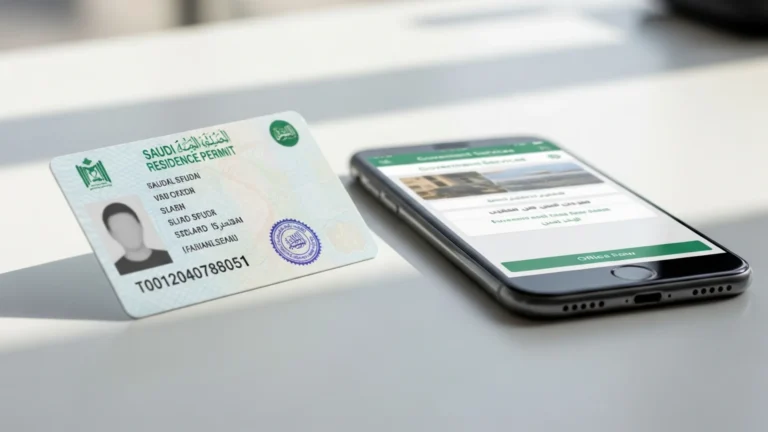
Iqama Check Online (2026): MOL & Absher Status Guide

To run an iqama check online in Saudi Arabia, use 3 free government portals: Absher (absher.sa) for residents, Muqeem (muqeem.sa) for employers, and Qiwa / MOL for work-permit status. Each shows your validity date and sponsor in under 2 minutes; the iqama renewal government fee is roughly SAR 650 per year (indicative — confirm on the official portal).
If you are an employer, an HR officer, or a resident in the Kingdom of Saudi Arabia, knowing exactly how to perform an iqama check saves you penalties, blocked travel, and stalled bank or telecom transactions. This guide walks through every official method — Absher, Muqeem, and the Ministry of Human Resources and Social Development (MHRSD) labour services on Qiwa — step by step, naming the exact screens you will see in 2026. It is written for companies building teams in Saudi Arabia, so we also show where iqama status fits into the wider compliance picture for a newly licensed business.
What an iqama check actually tells you
The iqama (إقامة) is the Saudi residency permit issued to every expatriate worker and their dependents. An iqama check is simply the act of confirming, through an official government portal, that a residency permit is valid, who the registered sponsor (employer) is, and when it expires. It is the single most important compliance data point for any foreign employee in the country.
A standard iqama status lookup returns:
- Iqama number — the 10-digit ID printed on the card, usually beginning with “2”.
- Validity / expiry date — shown in both Hijri and Gregorian calendars.
- Sponsor name — the company or individual under whose commercial registration the worker is recorded.
- Profession on record — the job title registered with the authorities.
- Work permit status — whether the MHRSD labour permit (often called the work permit or “rukhsat amal”) is active.
Because so many everyday actions — opening a bank account, getting a SIM card, signing a lease, or processing an exit-and-return visa — depend on a valid iqama, checking it regularly is a basic part of staying compliant in Saudi Arabia.
It helps to understand the difference between the data printed on the physical iqama card and the live record held by the authorities. The plastic card shows your name, photo, iqama number, profession, and the expiry date printed at the time of issue. The online record, by contrast, is the authoritative source of truth: it reflects renewals, holds, transfers of sponsorship, and any administrative changes the moment they are processed. This is why an online iqama check always beats reading the card — the card can say one thing while the government system has already updated to another. Whenever there is any doubt, the digital status on Absher, Muqeem, or Qiwa is the version that counts for travel, banking, and employment.
Who needs to run an iqama check
Different people check iqama status for different reasons, and the right portal depends on who you are:
- Expatriate residents — to confirm their own expiry date before it lapses and to plan renewal in good time.
- Employers and HR teams — to monitor renewal deadlines across an entire workforce and avoid late-renewal levies. This is typically done through Muqeem.
- New companies hiring staff — to verify that a candidate’s existing iqama and sponsorship are in order before a transfer.
- Landlords, banks, and service providers — to validate a tenant’s or customer’s legal residency.
- Dependents and family sponsors — to check the status of spouses and children linked to the main iqama holder.
If you are setting up a business and recruiting foreign talent, iqama checks become a routine HR task. We cover how that connects to your licence and labour file in the section on how Noble Core helps, and you can read the full picture on our company formation in Saudi Arabia guide.
Method 1: Iqama check on Absher (absher.sa)
Absher, run by the Ministry of Interior, is the main e-government platform for individuals in Saudi Arabia. If you hold an iqama, this is the most complete way to check your own status because it links directly to your residency file.
Step-by-step on Absher
- Go to absher.sa and select Absher Individuals.
- Log in with your registered username and password, then enter the one-time password (OTP) sent to your registered mobile number.
- From the dashboard, open the “My Services” or “Services” menu.
- Select “My Iqama” (or “Documents / Residency”).
- The screen displays your iqama number, expiry date (Hijri and Gregorian), profession, and sponsor.
If you do not yet have an Absher account, you can self-register online and verify identity through your bank’s login or by visiting a self-service kiosk. Absher also lets you pay government fees and request an exit-and-return visa once your iqama is confirmed valid.
There are two Absher products worth knowing about. Absher Individuals is the personal account every resident should hold for their own iqama, vehicle, and travel services. Absher Business is the establishment-facing version that ties into your commercial registration and lets authorized staff manage services for the whole company. For a personal iqama check you only need Absher Individuals; for company-wide residency management you will lean more on Absher Business alongside Muqeem. Absher is also available as a mobile app, so once your account is set up you can run the same iqama check from your phone in seconds, with the same My Iqama screen and the same Hijri-and-Gregorian expiry display.
Method 2: Iqama check on Muqeem (muqeem.sa)
Muqeem is the platform built for employers and authorized establishments to manage expatriate residency services in bulk. It is the workhorse for HR departments and is also where many people perform a quick iqama validity lookup.
Step-by-step on Muqeem
- Visit muqeem.sa.
- For establishment users, log in with your Muqeem account credentials linked to your commercial registration.
- Open the “Iqama Services” section.
- Select “Iqama Validity” or “Iqama Information”.
- Enter the 10-digit iqama number (and date of birth if prompted) and submit.
- The portal returns validity status, expiry date, and sponsorship details.
For companies, Muqeem is also where you initiate iqama renewals, print residency documents, and issue exit-and-return visas for staff — making it central to ongoing HR compliance once your business is licensed.
A practical advantage of Muqeem for employers is the consolidated view. Instead of checking each worker individually, an HR officer can see a list of all sponsored residents under the establishment, sorted by expiry date, and act before any iqama lapses. This single dashboard is what turns iqama compliance from a scramble into a calendar. Muqeem also issues a digital, verifiable copy of residency documents that banks, landlords, and other authorities can validate, which reduces the need to carry the physical card. For a fast public validity check — say a landlord confirming a tenant’s residency — the basic Iqama Validity lookup with the 10-digit number and date of birth is usually all that is required.
Method 3: Work-permit (MOL) status via Qiwa and MHRSD
An iqama is the residency permit; the work permit (rukhsat amal) is the separate labour authorization tied to it. The old “MOL” (Ministry of Labour) services are now delivered by the Ministry of Human Resources and Social Development (MHRSD) through the Qiwa platform.
Step-by-step on Qiwa
- Go to qiwa.sa and log in (individuals can use their National Single Sign-On, the same login as Absher).
- Open your employee dashboard.
- Select “Work Permit” or “Contracts and Permits”.
- Review the work-permit status, expiry, and the linked employer.
A valid iqama and a valid work permit normally share the same expiry cycle, but they are renewed through linked but distinct steps. Employers handle work-permit renewal through their Qiwa establishment account, while the iqama itself is renewed through Absher or Muqeem after the government fees and contributions are settled.
Qiwa also surfaces other employment data that is useful to verify alongside an iqama check: your registered employment contract, your job title as recorded with the Ministry of Human Resources and Social Development, and your establishment’s compliance status under the Nitaqat localization programme. For a worker, seeing the contract and work permit reflected correctly on Qiwa is reassurance that the labour file matches the residency file. For an employer, keeping work permits, contracts, and iqamas aligned across Qiwa and Muqeem is the core of a clean labour record — and it is far easier to maintain when the company was set up correctly from day one.
Documents and IDs you need
Most online iqama checks need only a number, but the exact requirement depends on the portal:
- Absher (own status): registered Absher account + OTP to your mobile. No documents to upload for a simple status check.
- Muqeem (public validity check): the 10-digit iqama number, and sometimes date of birth.
- Muqeem (establishment services): a registered company account linked to your unified national commercial registration.
- Qiwa work-permit view: National Single Sign-On credentials.
For a renewal (not just a check), you will additionally need a valid passport with at least the minimum remaining validity, a settled medical insurance policy, paid GOSI contributions where applicable, and any outstanding traffic or government fines cleared.
It is worth building a small pre-renewal checklist so a status check never turns into a delay. Before the expiry date arrives, confirm the passport has enough remaining validity, that medical insurance is active and covers the renewal period, that the expat levy (where it applies to the worker and dependents) is funded, and that there are no unpaid fines sitting against the file. With all of those in place, the actual renewal after an iqama check is typically a same-day, online transaction. The single number you always need to keep handy is the 10-digit iqama number itself — it is the key that every portal, from Absher to Muqeem to Qiwa, uses to find the record.
Iqama fees and timelines (indicative)
Iqama renewal involves several separate government charges, and amounts change with policy and the worker’s category. Treat the figures below as indicative and always confirm the live amount on the official portal before paying.
| Item | Indicative cost (SAR) | Typical timeline |
|---|---|---|
| Iqama check / status lookup (Absher, Muqeem, Qiwa) | Free | Under 2 minutes online |
| Iqama issuance / renewal government fee | ~650 per year | Same day once fees paid |
| Dependent / expat levy (per dependent, where applicable) | Varies by year and family size | Annual |
| Medical insurance (required before renewal) | Varies by plan and age | Before renewal |
| GOSI contribution (Saudi employee total, employer + employee) | ~21.5% of wage | Monthly |
| Exit and re-entry visa (single) | ~200–300 | Same day on Absher / Muqeem |
Note that GOSI rates differ for Saudi and non-Saudi workers; the ~21.5% combined figure relates to Saudi employees, while expatriate contributions are structured differently. Confirm exact contributions on gosi.gov.sa.
Common errors and how to fix them
When an iqama check fails or shows a problem, the cause is usually one of a handful of fixable issues:
- “Record not found”: double-check the 10-digit number; a single transposed digit is the most common cause.
- OTP not arriving on Absher: your registered mobile number may be out of date — update it via a self-service kiosk or your bank login.
- Status shows expired but you renewed: portal data can lag; allow time for the renewal to reflect, and confirm the government fee payment cleared.
- Outstanding fines blocking renewal: settle traffic or government fines first; many systems pause services until balances are cleared.
- Unpaid levies or insurance: renewal cannot complete until the expat levy and a valid medical insurance policy are in place.
If the portal genuinely shows incorrect sponsor or profession data, that is an administrative record issue best resolved by the employer through Muqeem or Qiwa, or via a visit to the relevant service centre.
A few preventive habits eliminate most of these problems entirely. Keep your registered mobile number current on Absher so OTPs always reach you. Pay government fees only on official domains and keep the payment confirmation, so if data lags you can prove the transaction cleared. And schedule a recurring iqama check — for an individual, a quick monthly look; for an employer, a weekly scan of the Muqeem expiry list. Treating the check as a routine rather than a reaction is the simplest way to avoid penalties, blocked travel, and last-minute renewals that depend on offices being open.
How iqama checks fit into setting up a Saudi company
If you are forming a company in the Kingdom, iqama management becomes a continuous responsibility the moment you hire your first foreign employee. Your commercial registration (CR) — now issued under the new Commercial Register Law that took effect on 3 April 2026, with a unified national number starting “7”, no expiry date, and an annual confirmation instead — is the anchor your whole labour file hangs from.
From there, the typical sequence is:
- Secure your investment licence from the Ministry of Investment (MISA) — MISA licence issue and renewal fees were suspended in 2026 (previously SAR 12,000 / 62,000), and licensing typically takes about 3–10 business days.
- Complete your CR with the Ministry of Commerce via the Saudi Business Center (CR fee roughly SAR 1,200–2,000, indicative).
- Register for labour services and obtain your block visas, then issue work permits and iqamas for staff through Qiwa and Muqeem.
- Register with GOSI for social insurance and with ZATCA for VAT (15%) and Fatoora e-invoicing.
Once that foundation is in place, iqama checks become routine HR hygiene — and getting the foundation right is exactly where most new investors need help. Our MISA license in Saudi Arabia guide explains the licensing path in detail.
Common mistakes to avoid
- Checking too late. Run an iqama check at least 30–60 days before expiry so you have time to clear fines, insurance, and levies before renewal.
- Confusing the iqama with the work permit. They are linked but renewed through different steps — verify both on Muqeem/Absher and Qiwa.
- Relying on the printed card date only. Always confirm the live status online; renewals and holds are reflected digitally, not on the physical card.
- Letting mobile numbers go stale on Absher. An out-of-date number blocks the OTP and locks you out of self-service.
- Ignoring outstanding fines. Unsettled balances quietly pause renewal and exit-visa services.
- Paying fees on unofficial sites. Only use absher.sa, muqeem.sa, qiwa.sa, and other official government domains; never enter credentials on look-alike pages.
- Assuming fees are fixed. Levies and contributions change with policy — confirm the current figure on the official portal each time.
How Noble Core helps
Noble Core is a business-setup consultancy that helps foreign investors establish and run companies in Saudi Arabia. While iqama checks themselves are simple, the file they sit on top of — your MISA licence, unified commercial registration, GOSI and ZATCA registrations, and labour quotas — is where new companies most often stumble.
We handle the full lifecycle so iqama compliance becomes effortless:
- End-to-end company formation with 100% foreign ownership available in most activities.
- MISA investment licensing (issuance and renewal fees suspended in 2026) and CR issuance via the Saudi Business Center.
- Setting up your Muqeem and Qiwa establishment accounts so HR can run iqama checks, renewals, and exit-and-return visas in-house.
- GOSI registration, ZATCA VAT and Fatoora e-invoicing onboarding, and ongoing compliance.
Our Saudi business-setup packages start from SAR 36,999, giving founders a single point of accountability from licence to first hire. If you are planning to build a team in the Kingdom, getting the foundation right means every future iqama check is a 2-minute formality rather than a fire drill.
The wider context is encouraging for investors. The new Commercial Register Law that took effect on 3 April 2026 replaced expiring registrations with a single unified national CR that no longer expires — you simply confirm the details annually — and it allows English trade names and a five-year grace mechanism, which simplifies long-term planning. Combined with the 2026 suspension of MISA licence issuance and renewal fees and 100% foreign ownership across most activities, the Kingdom’s framework is built to welcome serious operators. Noble Core’s role is to translate that framework into a working company: licence, registration, tax and social-insurance enrolment, and the Muqeem and Qiwa accounts your HR team will use every day. Get in touch when you are ready to start, and we will map the exact path for your activity, so that issuing iqamas — and checking them — is the easy part.
Need help setting up in Saudi Arabia? Noble Core handles your MISA licence, commercial registration, and visas end-to-end — done right the first time.
Frequently Asked Questions
How do I do an iqama check online for free?
Run an iqama check free on three official Saudi portals: Absher (absher.sa) for your own status with a registered account, Muqeem (muqeem.sa) for a quick validity lookup using the 10-digit number, and Qiwa for work-permit status. Each returns your expiry date and sponsor in under 2 minutes at no cost.
What is the difference between an iqama check on Absher and Muqeem?
Absher is the Ministry of Interior portal for individuals, so it shows your complete residency file after you log in with an account and OTP. Muqeem is built for employers and also allows a fast public iqama validity check using just the 10-digit number. Use Absher for personal status and Muqeem for bulk HR or quick lookups.
How can I check my iqama expiry date?
Log in to Absher at absher.sa, open My Services, and select My Iqama to see your expiry date in both Hijri and Gregorian calendars. Alternatively, enter your 10-digit iqama number on Muqeem under Iqama Validity. Check at least 30 to 60 days before expiry so you can clear fees and insurance before renewing.
Is the MOL iqama check the same as the work permit check?
Not exactly. The iqama is your residency permit, while the work permit (rukhsat amal) is a separate labour authorization. The old MOL service is now delivered by the Ministry of Human Resources (MHRSD) through Qiwa. Check your iqama on Absher or Muqeem and your work-permit status on qiwa.sa; the two are linked but renewed separately.
How much does iqama renewal cost in Saudi Arabia in 2026?
The iqama check itself is free, but renewal involves several charges. The government iqama renewal fee is roughly SAR 650 per year (indicative), plus any expat levy, mandatory medical insurance, and cleared fines. Exact amounts change with policy and worker category, so confirm the current figure on the official Absher or Muqeem portal before paying.
What do I do if my iqama check shows record not found?
A record not found result is almost always a typing error, so re-enter the 10-digit iqama number carefully and add date of birth if prompted. If it persists, the residency record may need an employer update through Muqeem or Qiwa. For OTP problems on Absher, confirm your registered mobile number is current via a self-service kiosk.
Can an employer check an employee iqama status?
Yes. Employers and HR teams use Muqeem (muqeem.sa) with an establishment account linked to their commercial registration to check iqama validity, monitor renewal deadlines, and issue exit-and-return visas across the whole workforce. This is essential for staying compliant once your company is licensed and hiring foreign staff in Saudi Arabia.
How does an iqama check relate to setting up a company in Saudi Arabia?
Once you form a company, iqama management becomes a continuous HR task. Your commercial registration anchors the labour file, after which you obtain a MISA licence (issue and renewal fees suspended in 2026), register with GOSI and ZATCA, and issue iqamas through Qiwa and Muqeem. Noble Core sets up this foundation so iqama checks become a 2-minute routine.