Civil Defense (Salama) License in Saudi Arabia (2026)
A Civil Defense (Salama) licence in Saudi Arabia is the General Directorate of Civil Defense safety certificate that confirms your premises meet fire-protection and life-safety codes. Most commercial and industrial outlets must hold it before they can open or renew a Commercial Register. You apply through the Salama platform, an inspection follows, and approval typically takes about 5–15 business days. Fees are modest and indicative — confirm current figures on the official portal.
If you are setting up or running a business in the Kingdom — a restaurant, retail shop, warehouse, clinic, factory, school, or office — the Civil Defense licence is one of the operational permits you cannot skip. It sits alongside your municipal licence and Commercial Register as proof that your physical premises are safe to occupy and trade from. This guide explains, step by step, what the Salama licence is, who needs it, how to apply through the right government screens, which documents to prepare, and the indicative fees and timelines to budget for in 2026.
Noble Core sets up and licenses businesses across Saudi Arabia every week, so this is written as a practical how-to — naming the exact portals and the order of operations — rather than a generic overview.
What is a Civil Defense (Salama) Licence?
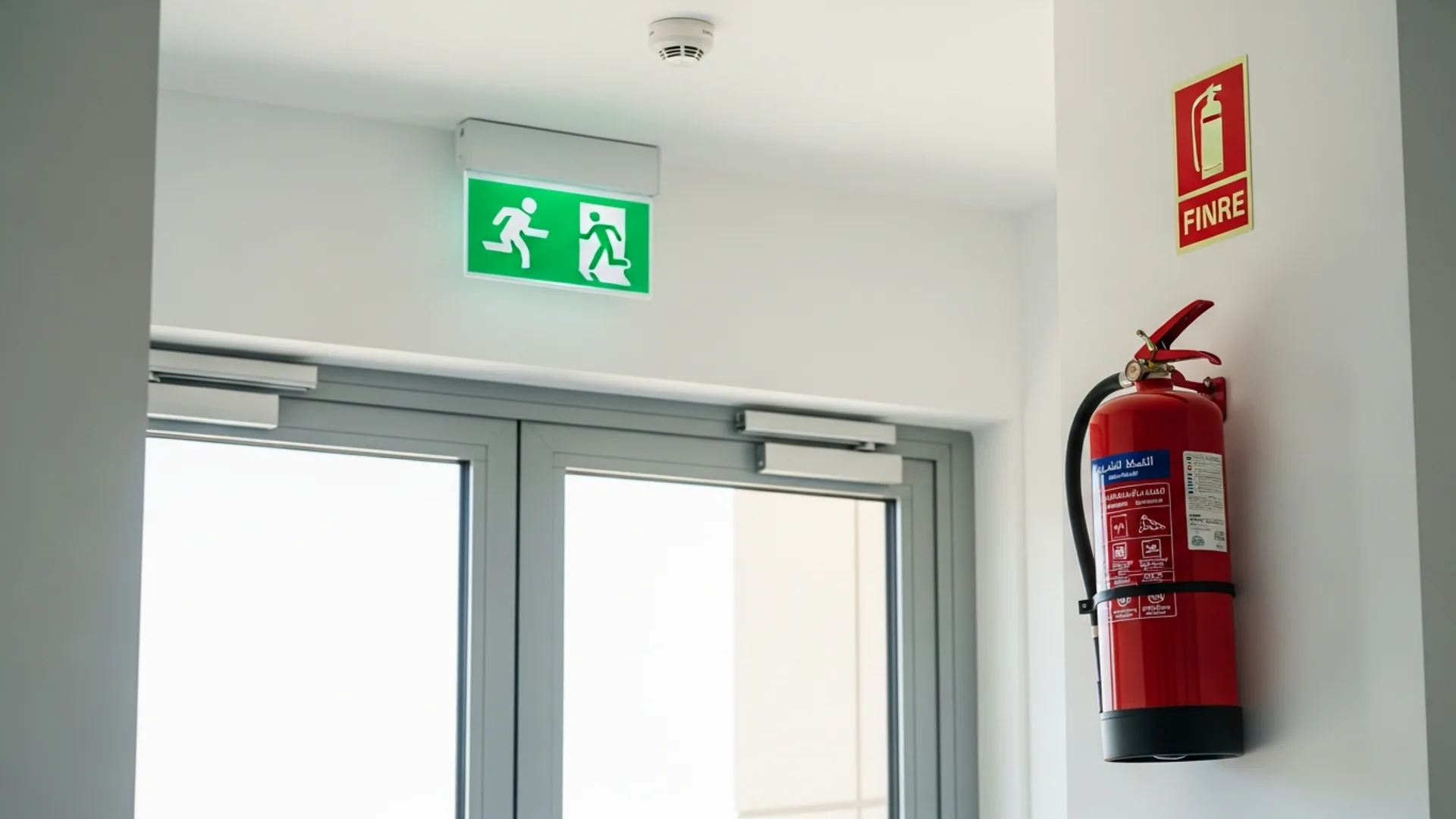
The Civil Defense licence — known in Arabic as the Salama (سلامة, meaning “safety”) permit — is issued by the General Directorate of Civil Defense (GDCD), which operates under the Ministry of Interior. It certifies that a building or commercial unit complies with Saudi Arabia’s fire-safety, emergency-evacuation, and life-safety requirements. In practice it confirms you have the right fire extinguishers, smoke detectors, emergency exits, alarm systems, and signage for the type of activity you run.
The licence is managed digitally through the Salama platform (the GDCD’s online safety system), which lets owners submit applications, upload building and safety details, schedule inspections, and download the approved certificate. Because the platform is integrated with other government systems, a valid Salama certificate is frequently a prerequisite for issuing or renewing your municipal (Baladi) licence and, in turn, keeping your Commercial Register active.
Think of it as the safety layer of your licensing stack. Your Commercial Register (now issued under the new unified national system) proves the company legally exists; the Civil Defense licence proves the place where you operate is safe to occupy.
Salama vs other permits — how it fits
- Commercial Register (CR): issued by the Ministry of Commerce / Saudi Business Center — confirms the legal entity.
- MISA investment licence: required for foreign-owned entities, issued by the Ministry of Investment of Saudi Arabia (MISA).
- Municipal (Baladi) licence: issued by the relevant municipality — the trading/shop licence for your premises.
- Civil Defense (Salama) licence: the fire and life-safety certificate for the physical premises — the focus of this guide.
Who Needs a Civil Defense Licence in Saudi Arabia?
As a rule, any business that occupies a physical commercial or industrial premises and welcomes staff, customers, or stores goods will need a Civil Defense (Salama) licence before it can fully operate. The requirement scales with the fire risk of the activity, so a busy restaurant or chemicals warehouse faces a stricter inspection than a small back-office.
Premises that typically require the licence include:
- Restaurants, cafés, bakeries, and any premises with cooking or gas appliances
- Retail shops, showrooms, and shopping-centre units
- Warehouses, logistics depots, and storage facilities
- Factories, workshops, and industrial plants
- Hotels, furnished apartments, and hospitality venues
- Clinics, pharmacies, laboratories, and healthcare facilities
- Schools, training centres, and nurseries
- Offices and corporate headquarters (lower-risk, lighter requirements)
- Petrol stations, gas outlets, and high-hazard sites (strictest category)
If you are a foreign investor establishing a presence, the Civil Defense licence is one of the post-incorporation steps that follows your MISA licence and Commercial Register. For a full picture of the sequence — from investment licence to operational permits — see our guide to company formation in Saudi Arabia, which maps the order in which each approval is obtained.
Step-by-Step: How to Apply for the Salama Licence
The Civil Defense application is handled online through the Salama platform, with a physical inspection of your premises as the central step. Here is the typical end-to-end flow.
- Log in via the national single sign-on. Access the Salama platform using your unified national access credentials (the same identity you use across government e-services such as Absher). Business owners log in under the establishment’s record.
- Select “New Safety Licence Request.” Choose the application type that matches your premises — a new licence for a first-time fit-out, or a renewal for an existing certificate nearing expiry.
- Enter the establishment and premises details. Provide your Commercial Register number, municipal licence reference (if already issued), building/unit address, total area, number of floors, and the activity type. The system uses these to determine the safety category.
- Complete the safety self-assessment. Confirm the fire-protection equipment installed — extinguishers, smoke/heat detectors, alarm panel, emergency lighting, exit signage, and fire-fighting systems where required for your risk level.
- Upload supporting documents. Attach the building layout/civil-defense drawings, the lease/title, the Commercial Register, and the safety-equipment maintenance contract (see the documents section below).
- Pay the application fee via SADAD. Settle the indicative government fee through the SADAD payment system; the platform generates an invoice number tied to your request.
- Schedule and host the inspection. A Civil Defense officer visits the premises to verify that what you declared matches reality — extinguisher placement, clear exits, working alarms, and correct signage.
- Resolve any observations. If the inspector raises non-compliance points, you correct them and request a re-inspection through the same platform.
- Download the approved certificate. Once the premises pass, the Salama certificate is issued digitally and can be downloaded from the platform — and it links through to your municipal licence renewal.
For larger fit-outs (factories, big warehouses, hospitality), the drawings normally need to be prepared and stamped by an approved fire-safety consultant before submission. Smaller offices and shops can often proceed with a lighter self-assessment.
Documents and IDs You Will Need
Gathering the paperwork before you start the Salama application avoids back-and-forth and re-inspections. Prepare the following.
- Commercial Register (CR): your unified national CR issued by the Ministry of Commerce via the Saudi Business Center.
- Municipal (Baladi) licence reference: where already issued for the premises.
- Lease contract or title deed: proving you occupy the premises, ideally registered on the Ejar tenancy platform.
- Building / civil-defense drawings: floor plans showing exits, fire-fighting layout, and equipment positions (stamped by an approved consultant for higher-risk premises).
- Safety-equipment maintenance contract: a contract with an accredited fire-safety company covering extinguishers, alarms, and detection systems.
- National ID / Iqama of the owner or authorised manager: for identity verification.
- Authorisation letter: if a representative (such as Noble Core) submits on your behalf.
Foreign-owned entities should also have their MISA licence in hand, since the investment licence underpins the Commercial Register that the Salama application references.
Fees and Timeline (Indicative, 2026)
Civil Defense licence costs are generally modest compared with your incorporation fees, and they vary by premises size and risk category. The table below shows indicative figures for budgeting. These are not fixed government tariffs for every case — always confirm the current amount shown in your Salama invoice before paying.
| Item | Indicative cost (SAR) | Indicative timeline |
|---|---|---|
| Salama application / certificate fee (small office or shop) | ~300 – 1,000 | 5 – 10 business days |
| Salama fee (restaurant / warehouse / mid-risk) | ~1,000 – 3,000 | 7 – 15 business days |
| Salama fee (factory / high-hazard site) | ~3,000+ (case-by-case) | 2 – 4 weeks (drawings + inspection) |
| Fire-safety drawings by approved consultant | ~2,000 – 10,000+ (project-dependent) | 1 – 2 weeks |
| Safety-equipment supply + annual maintenance contract | ~1,500 – 6,000+ / year | 3 – 7 days to install |
| Annual renewal of the Salama certificate | Similar to issue fee | 3 – 10 business days |
All figures above are indicative and intended for planning only — confirm current figures on the official Salama platform invoice. The largest variable is usually the cost of bringing the premises up to code (equipment and drawings), not the government fee itself.
How this sits within total setup costs
For context, a full foreign-owned setup involves several layers: the MISA licence (issue and renewal government fees were suspended in 2026, having previously been SAR 12,000 and SAR 62,000), the Commercial Register fee (~SAR 1,200–2,000), Chamber of Commerce membership (~SAR 2,000–3,000/year), VAT registration with ZATCA at 15%, and GOSI social-insurance contributions (~21.5% total for Saudi staff). The Salama licence is a comparatively small but mandatory operational line item. Noble Core’s done-for-you company-formation packages start from SAR 36,999 and fold these approvals into one managed timeline.
Renewing Your Civil Defense Licence
The Salama certificate is time-bound and must be renewed before it lapses to keep your premises legally operational and your municipal licence in good standing. Renewal runs through the same Salama platform.
- Log in to the Salama platform ahead of the expiry date.
- Open the existing certificate and select Renew.
- Confirm that your safety-equipment maintenance contract is current — an expired contract is one of the most common renewal blockers.
- Pay the renewal fee via SADAD.
- Host a renewal inspection if the system flags one (lower-risk premises may be renewed without a fresh visit).
- Download the renewed certificate.
Set a reminder roughly 30–45 days before expiry. Because the Civil Defense certificate is increasingly linked to municipal licence renewal — and the municipal licence supports keeping your Commercial Register active — letting the Salama certificate lapse can cascade into other permit problems.
How the Salama Licence Connects to Other Government Systems
One reason the Civil Defense licence matters so much is its integration with the wider e-government stack. Naming the systems you will touch around it:
- Saudi Business Center (mc.gov.sa / business.sa): issues the unified Commercial Register that the Salama application references.
- ZATCA (zatca.gov.sa): handles VAT registration (15%) and e-invoicing (Fatoora) — separate from Salama but part of becoming fully operational.
- Qiwa (qiwa.sa) and GOSI (gosi.gov.sa): manage labour contracts and social insurance once you start hiring — premises must be safety-certified to operate fully.
- Muqeem (muqeem.sa) and Absher (absher.sa): handle resident/Iqama and identity services for your team.
- MISA: the Ministry of Investment of Saudi Arabia issues the foreign-investment licence that sits at the top of the chain for international investors.
You do not interact with all of these inside the Salama platform itself, but the Salama certificate is the safety checkpoint that lets the rest of your operational permits stay valid. Vision 2030’s drive to digitise government services means these platforms increasingly talk to each other, which is good news — one verified record flows through the system.
Safety Categories and What Inspectors Check
The General Directorate of Civil Defense classifies premises by risk, and that classification decides how detailed your application and inspection will be. Understanding which band you fall into helps you budget for equipment and avoid surprises on inspection day.
Low-risk premises
Standard offices, small retail units, and consultancies sit in the lighter band. Inspectors typically look for adequate portable fire extinguishers, working smoke detectors, clearly marked and unobstructed exits, illuminated exit signage, and a basic alarm where the floor area requires it. A self-assessment plus a short inspection is often enough.
Medium-risk premises
Restaurants, cafés with cooking equipment, mid-size warehouses, and showrooms carry more fire load. Here inspectors verify kitchen-hood suppression (for cooking premises), a connected detection and alarm panel, emergency lighting, fire-rated doors where applicable, and a current maintenance contract covering all of it. Drawings showing equipment placement are usually expected.
High-risk premises
Factories, chemical or fuel storage, petrol stations, and large industrial plants face the strictest requirements: engineered fire-fighting systems, hydrants or sprinklers, stamped drawings from an approved fire-safety consultant, hazard-specific suppression, and detailed evacuation planning. Expect a longer review and a more thorough on-site inspection for this band.
During any inspection, the officer is essentially checking three things: that the equipment you declared is physically present and functional, that exits and escape routes are genuinely usable, and that the safety provisions match the activity actually taking place on site. Aligning all three before booking the visit is the surest way to a first-pass approval.
Common Errors That Delay Approval
Most Salama delays come from avoidable gaps between what is declared and what the inspector sees. The frequent culprits:
- Mismatched details: the activity, area, or address on the Salama application does not match the Commercial Register or lease, triggering a rejection.
- Missing or expired maintenance contract: no accredited fire-safety maintenance contract attached, or one that has already lapsed.
- Incorrect equipment for the risk category: a restaurant submitted with office-grade fire cover, or detectors and extinguishers placed incorrectly.
- Blocked or unmarked exits: emergency exits obstructed, locked, or missing illuminated signage during inspection.
- Drawings not stamped: higher-risk premises submitting layouts that were not prepared by an approved consultant.
- Applying too late: leaving the application until just before opening (or just before expiry), leaving no buffer for a re-inspection.
Common Mistakes to Avoid
- Treating Salama as optional: opening or trading before the certificate is issued can stall your municipal licence and Commercial Register.
- Underestimating fit-out cost: the government fee is small; bringing the premises up to fire code (equipment + drawings) is the real spend — budget for it early.
- Letting the maintenance contract lapse: this is the single most common renewal blocker — keep it continuously active.
- Ignoring expiry dates: a lapsed Salama certificate can cascade into municipal and CR problems; set a 30–45 day reminder.
- Skipping the approved consultant for high-risk sites: unstamped drawings get rejected and waste a full inspection cycle.
- Not aligning records: ensure activity, area, and address are identical across the CR, lease, and Salama application before submitting.
- Assuming fixed fees: always confirm the current figure on the official platform invoice rather than relying on a quoted number.
Preparing Your Premises Before You Apply
A little groundwork before submitting the Salama application saves the most time. Because the inspection is the make-or-break step, the goal is to walk the officer through premises that already meet the code rather than hoping to fix issues afterward. A practical pre-application checklist:
- Map your exits. Confirm every escape route is unobstructed, doors open in the direction of travel where required, and illuminated exit signs are installed and working.
- Install and tag equipment. Place serviced fire extinguishers, smoke or heat detectors, and an alarm panel appropriate to your risk band — each extinguisher carrying a valid inspection tag.
- Sign a maintenance contract. Engage an accredited fire-safety company before you apply, not after; the contract reference is requested in the application.
- Finalise drawings. For medium and high-risk premises, have an approved consultant prepare and stamp the civil-defense layout drawings.
- Reconcile your records. Make sure the activity, floor area, and address are identical across your Commercial Register, lease (ideally registered on Ejar), and the Salama application.
- Brief your team. Ensure staff know where extinguishers and exits are; a confident walkthrough leaves a good impression on inspection day.
This preparation is exactly the stage where foreign investors benefit from local coordination, because the equipment, drawings, and contracts often have to be arranged in parallel with the fit-out rather than after it. Building these steps into your launch schedule keeps the safety certificate from becoming the bottleneck that delays your opening.
How Noble Core Helps
Coordinating the Civil Defense licence alongside every other approval is where many new businesses lose time. Noble Core manages the full sequence — MISA investment licence, unified Commercial Register, Chamber membership, municipal licence, and the Salama certificate — as one timeline, so nothing waits on something else by surprise.
Our team handles the practical work: preparing and submitting the Salama application, coordinating with an approved fire-safety consultant for drawings where needed, arranging compliant equipment and the maintenance contract, attending the inspection on your behalf, and resolving any observations quickly so you reach approval on the first or second pass. We also keep your renewal dates tracked so the certificate never lapses.
Because we deal with the General Directorate of Civil Defense, the Ministry of Commerce, MISA, and the municipalities regularly, we know exactly what each inspector and screen expects — which is the difference between a 5-day approval and a month of re-inspections. If you are planning a new premises in the Kingdom, start with our Saudi company-formation process and we will sequence the Civil Defense licence into your launch plan from day one.
Need help setting up in Saudi Arabia? Noble Core handles your MISA licence, commercial registration, and visas end-to-end — done right the first time.
Frequently Asked Questions
What is a civil defense license in Saudi Arabia?
A civil defense license in Saudi Arabia, known as the Salama permit, is a fire and life-safety certificate issued by the General Directorate of Civil Defense. It confirms your premises meet fire-protection, evacuation, and emergency codes. Most commercial and industrial outlets need it before opening or renewing their municipal licence and Commercial Register.
How do I apply for the Salama civil defense license?
Apply online through the Salama platform using your national single sign-on. Select a new safety licence request, enter your Commercial Register and premises details, complete the safety self-assessment, upload drawings and your maintenance contract, pay the fee via SADAD, then host the inspection. After passing, download the certificate digitally from the platform.
How much does a civil defense license cost in Saudi Arabia in 2026?
Indicative Salama fees range from roughly SAR 300–1,000 for a small office or shop to SAR 1,000–3,000 for restaurants and warehouses, and SAR 3,000+ for high-hazard sites. The larger cost is usually fire-safety equipment and drawings, not the government fee. Always confirm current figures on the official Salama platform invoice.
Who needs a civil defense license in Saudi Arabia?
Any business occupying physical commercial or industrial premises with staff, customers, or stored goods typically needs a civil defense license. This includes restaurants, shops, warehouses, factories, hotels, clinics, schools, and offices. Higher-risk activities such as petrol stations and chemical stores face stricter inspections than low-risk back offices.
How long does the Salama license take to issue?
A civil defense license in Saudi Arabia typically takes about 5–15 business days. Small offices and shops may be approved in 5–10 days, while restaurants and warehouses take 7–15 days. High-hazard factories needing stamped drawings can take two to four weeks. Resolving inspection observations quickly is the key to the faster end of that range.
What documents are required for the civil defense license?
You need your unified Commercial Register, the lease contract or title deed, building and fire-safety drawings (stamped for higher-risk premises), a safety-equipment maintenance contract, the municipal licence reference where issued, and the owner’s or manager’s National ID or Iqama. Foreign-owned entities should also have their MISA investment licence in hand.
How do I renew a civil defense license in Saudi Arabia?
Renew through the Salama platform before expiry. Log in, open the existing certificate, select renew, confirm your safety-equipment maintenance contract is current, pay the renewal fee via SADAD, and host a renewal inspection if flagged. Set a reminder 30–45 days ahead, as a lapsed certificate can stall your municipal licence renewal.
Does the Salama license connect to my Commercial Register?
Yes. The Salama certificate is increasingly linked to your municipal (Baladi) licence, which supports keeping your Commercial Register active. The application also references your Commercial Register issued through the Saudi Business Center. Letting the civil defense license lapse can therefore cascade into municipal and Commercial Register problems, so keep all records aligned and current.