Issue Power of Attorney Saudi: Najiz Guide 2026
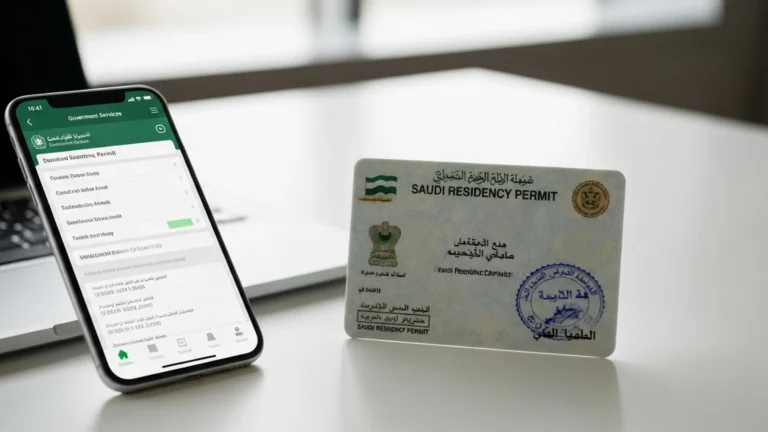
To issue power of attorney Saudi residents and business owners use Najiz, the Ministry of Justice portal at najiz.sa — log in with Nafath, open “Powers of Attorney and Declarations,” and complete roughly 6 on-screen steps. The electronic wakala is issued instantly, carries no government issuance fee, is available 24/7, and activates only after the agent accepts it — usually within minutes on the same platform.
What it means to issue power of attorney Saudi (Najiz e-wakala)
A power of attorney — wakala (توكيل) in Arabic — is a legal authorisation that lets one person (the agent, or wakeel) act on behalf of another (the principal, or muwakkil). In Saudi Arabia, powers of attorney are now issued almost entirely online through Najiz, the digital services platform operated by the Ministry of Justice. The days of visiting a notary (kātib al-adl) in person for a routine wakala are largely over.
The electronic power of attorney is legally equivalent to a notarised paper deed. Once issued, it is stored centrally in the Najiz system, given a unique reference number, and can be verified instantly by banks, government departments, and courts. Because verification is electronic, most institutions no longer ask for a physical stamped copy — they simply query the Najiz database using the deed number and the parties’ national IDs.
For a foreign investor establishing a presence in the Kingdom, the ability to issue a wakala remotely is a genuine convenience. It lets you appoint a local representative to sign documents, collect licences, or manage a bank relationship without every signature requiring your physical presence. That is why this step so often sits alongside company formation in Saudi Arabia on a founder’s checklist.
Who needs to issue a power of attorney in Saudi Arabia?
A power of attorney is one of the most widely used legal instruments in the Kingdom. You are likely to need one if you fall into any of the categories below.
- Foreign investors and shareholders — appointing a local manager or consultant to sign incorporation papers, collect a Commercial Register, or represent the company before the Ministry of Investment (MISA) and the Ministry of Commerce.
- Company owners delegating day-to-day authority — authorising a general manager or PRO (public relations officer / mandoob) to handle government transactions on Qiwa, Muqeem, GOSI, and ZATCA portals.
- Residents managing personal affairs — authorising a relative or friend to handle property, vehicle, banking, or family-status matters while you travel.
- Real-estate transactions — buying, selling, or leasing property on your behalf.
- Legal representation — appointing a licensed lawyer to represent you in a case or before the courts.
For businesses specifically, the Ministry of Justice launched a dedicated electronic power of attorney service for commercial entities, allowing an establishment’s authorised signatory to issue a wakala directly in the company’s name. This is heavily used by newly licensed companies that need a representative in place from day one.
How to issue power of attorney Saudi on Najiz — step by step
The process below reflects the current Najiz individual power-of-attorney flow. Screen labels are translated from Arabic; the English interface uses very similar wording.
- Open najiz.sa and log in. Click “Login” and authenticate through Nafath (the National Single Sign-On). You approve the login request in the Nafath app on your phone or via the Absher-linked verification. There is no separate Najiz password.
- Go to “All Electronic Services.” From the dashboard, select the full services directory rather than the shortcut tiles, so you can see every wakala option.
- Choose “Powers of Attorney and Declarations” (الوكالات والإقرارات). This category groups issuing, viewing, amending, and revoking a wakala.
- Select “Issue Individual Power of Attorney” and click “New Application.” If you are issuing on behalf of a company, choose the establishment/commercial power-of-attorney service instead.
- Enter the agent’s details. Add the agent (wakeel) by national ID or Iqama number and date of birth. The system pulls the verified name automatically from the national database, so you cannot mistype a name.
- Select the powers and scope. Najiz lets you pick specific, itemised authorities — for example “banking transactions,” “government transactions,” “real-estate sale,” or “litigation.” Choose only what the agent genuinely needs; you can tick multiple items. Set the duration (a fixed term or open-ended) and any conditions.
- Review and approve. Read the generated deed text carefully, then click “Approve.” You confirm once more through Nafath. The wakala is issued immediately and receives a deed number.
- Agent acceptance. The named agent logs into their own Najiz account and formally accepts the power of attorney. It only becomes active after this acceptance — an important safeguard against anyone being made an agent without their knowledge.
The entire sequence typically takes 10–20 minutes for a straightforward individual wakala, assuming both parties have active Nafath accounts. There is no printing, stamping, or notary visit involved.
Issuing a power of attorney for a company
Where the principal is a business, the authorised signatory recorded on the Commercial Register issues the wakala in the establishment’s name through the commercial power-of-attorney service. The company’s Unified National Number links automatically, and the same Nafath approval and agent-acceptance steps apply. This is the route most new companies use to empower a Noble Core PRO and mandoob service to run their government portals from day one.
Documents and IDs you need before you start
Because Najiz reads directly from government databases, you need far less paperwork than a traditional notary once required. Prepare the following.
- An active Nafath account for the principal (registered through Absher). Without Nafath you cannot log in.
- Valid national ID (for Saudis) or Iqama (for residents) — both principal and agent must have a current, unexpired ID number.
- The agent’s national ID / Iqama number and date of birth — you enter these to add them; the name is fetched automatically.
- A registered mobile number linked to Absher, to receive Nafath approval requests.
- For a company wakala: an active Commercial Register with the principal listed as an authorised signatory, plus the establishment’s Unified National Number.
- Clear scope in mind — decide in advance exactly which powers and duration you want, so you tick the correct itemised authorities.
Non-residents who do not yet hold an Iqama but need to authorise someone in the Kingdom generally still use a notarised or embassy-attested route from abroad, then have it recognised locally. If you are mid-setup and unsure which path applies, this is exactly the kind of detail worth confirming before you file your MISA licence application.
Fees and timeline to issue power of attorney Saudi
The Najiz electronic power-of-attorney service itself carries no government issuance fee for standard individual and commercial wakalas — it is provided free as part of the Ministry of Justice’s digital services. Costs usually appear only when you need supporting services such as certified translation for use abroad, or professional drafting for a complex, high-value authority. The table below gives indicative figures; always confirm current amounts on the official portal.
| Item | Indicative fee (SAR) | Typical timeline |
|---|---|---|
| Najiz electronic power of attorney (individual) | Free | Issued instantly; active after agent accepts |
| Najiz commercial / establishment power of attorney | Free | Same day |
| Agent acceptance step | Free | Minutes to hours (agent-dependent) |
| Certified Arabic–English translation (for overseas use) | 150–400 per document (indicative) | 1–3 business days |
| Professional legal drafting (complex scope) | 500–2,500 (indicative) | 1–5 business days |
| Embassy / consular attestation of a foreign POA | Varies by country (indicative) | 3–15 business days |
For comparison, and to keep the wakala in the wider context of setting up in the Kingdom: a new Commercial Register costs roughly SAR 1,200–2,000, annual Chamber of Commerce membership around SAR 2,000–3,000, and MISA investment-licence issue and renewal fees (previously SAR 12,000 and SAR 62,000) were suspended in 2026. These figures move over time, so treat them as indicative and verify on each authority’s portal.
Types of power of attorney available on Najiz
Najiz supports both broad and narrowly scoped authorities. Choosing the right type protects you from granting more power than intended.
General power of attorney
Grants wide authority across many categories at once. It is convenient but should be used cautiously — only for people you trust fully — because the agent can act across everything you have authorised.
Special (limited) power of attorney
Restricts the agent to specific, itemised actions — for example only “government transactions” or only the sale of one named property. This is the recommended default for most business delegations, because it limits exposure while still letting the agent do the required job.
Commercial power of attorney
Issued in a company’s name by its authorised signatory, empowering a manager, PRO, or consultant to represent the establishment before authorities such as the Ministry of Commerce, ZATCA, GOSI, Qiwa, and Muqeem.
Litigation power of attorney
Authorises a licensed lawyer to represent you before the courts and judicial bodies.
How to verify, amend, or revoke a power of attorney
A key advantage of the electronic system is that a wakala is not permanent unless you want it to be — you stay in control after issuing it.
- Verify: anyone relying on the wakala (a bank, a government office, a counterparty) can confirm it is genuine and still valid by entering the deed number and IDs into Najiz’s verification service. You can also open “Powers of Attorney and Declarations” to view all wakalas you have issued or received.
- Amend: some attributes can be updated through the platform; more often you revoke the old deed and issue a fresh one with the corrected scope.
- Revoke (cancel): the principal can cancel a wakala at any time from the same “Powers of Attorney and Declarations” section. Revocation is recorded immediately, so from that moment the agent can no longer act — institutions checking Najiz will see the deed is no longer valid.
This ability to revoke instantly is one reason the electronic wakala is safer than an old paper deed, where a cancelled authority could still be presented to a party who had no way of knowing it had been withdrawn.
Common errors when issuing a wakala — and how to fix them
Most problems on Najiz trace back to a handful of causes.
- Nafath not registered or expired: if login fails, register or refresh your Nafath identity through Absher first. This is the single most common blocker.
- Agent’s ID number entered incorrectly: a mismatch between the ID and date of birth stops the system from fetching the name. Re-check both against the agent’s physical ID card.
- Agent has not accepted: the wakala shows as “issued” but a bank rejects it because it is not yet active. Ask the agent to log in and accept.
- Expired Iqama or CR: if either party’s Iqama, or the company’s Commercial Register, has lapsed, issuance can be blocked. Renew first — the new Commercial Register Law effective 3 April 2026 replaces fixed expiry with an annual confirmation, which reduces this problem for companies over time.
- Wrong scope selected: granting too little means the agent cannot complete the task; granting too much is a security risk. Review the itemised list before approving.
- Company signatory mismatch: for a commercial wakala, the person issuing must be the authorised signatory on the CR. If the signatory recently changed, update the register first.
Common mistakes to avoid
- Issuing a broad general power of attorney when a narrow special one would do — always scope down to only the powers the agent needs.
- Setting an open-ended duration for a one-off task; use a fixed term and let it lapse automatically.
- Forgetting the agent-acceptance step and then being surprised when a bank rejects the wakala as inactive.
- Not revoking a wakala once the task is finished or once trust changes — leaving live authority in place unnecessarily.
- Assuming a Najiz e-wakala is automatically valid abroad; overseas use usually needs certified translation and attestation.
- Relying on a lapsed Iqama or Commercial Register — renew IDs and registrations before you start.
- Entering the agent’s ID from memory; always copy it from the physical card to avoid a mismatch.
Using your Najiz power of attorney with banks and government portals
Issuing the wakala is only half the story — what matters is that the institutions you deal with will actually accept it. The good news is that the electronic deed is recognised across the Kingdom’s major public and private bodies precisely because verification is centralised.
- Banks: most Saudi banks accept a Najiz-issued power of attorney for account operations the principal has explicitly authorised. The bank verifies the deed electronically against Najiz using the deed number and IDs, rather than relying on a physical signature card.
- Government portals: a commercial wakala lets your representative act before authorities such as the Ministry of Commerce, the Ministry of Investment (MISA), ZATCA for tax and e-invoicing, GOSI for social insurance, Qiwa for labour matters, and Muqeem for residency transactions.
- Courts and notaries: a litigation wakala authorising a licensed lawyer is recognised by the judicial system, and general notarial acts recorded in Najiz carry the same weight as a traditional notarised deed.
Because the same deed can unlock so many portals at once, scoping matters. A tightly drawn special wakala that names exactly the actions you want — “banking transactions” and “government transactions,” say — gives your representative everything they need without handing over authority you never intended to grant.
Power of attorney within your wider Saudi setup timeline
For a foreign company entering the Kingdom, the wakala rarely stands alone. It usually appears at a specific moment in the incorporation sequence, once the entity exists on paper but before its owner can be physically present for every signature. A typical order of events looks like this:
- Secure the MISA investment licence — with issue and renewal fees suspended in 2026, this step is lighter than in previous years, and licensing typically takes around 3 to 10 business days.
- Register the company and obtain the Commercial Register through the Ministry of Commerce and the Saudi Business Center, at an indicative SAR 1,200 to 2,000.
- Join the Chamber of Commerce (indicative SAR 2,000 to 3,000 per year) and complete registrations with ZATCA, GOSI, Qiwa, and Muqeem.
- Issue a commercial power of attorney on Najiz so your appointed representative can operate all of the above portals on the company’s behalf.
Sequencing the wakala correctly — after the Commercial Register exists and the authorised signatory is confirmed — avoids the most common cause of a blocked issuance. It is a small step, but getting it in the right place keeps the whole setup moving.
How Noble Core helps you issue and manage powers of attorney
For most residents, a simple personal wakala on Najiz is quick and self-service. The complexity appears when a power of attorney is tied to a business — where the wrong scope, an expired register, or a signatory mismatch can stall your whole setup. That is where a local partner earns its keep.
Noble Core supports foreign investors and companies across the full journey: forming the entity, obtaining the MISA investment licence, opening the Commercial Register, registering with the Ministry of Commerce, ZATCA, GOSI, Qiwa, and Muqeem, and putting the right authorised representative in place. Our PRO and mandoob service can be empowered through a properly scoped commercial wakala so your government transactions run smoothly from day one, while you retain full control and the ability to revoke at any time.
We handle setup packages from SAR 36,999, and we make sure the power of attorney you issue matches exactly what your business actually needs — no more, no less. If you are planning your entry into the Kingdom, start with our guidance on company formation in Saudi Arabia and the MISA licence, and let us align the wakala with the rest of your incorporation. Government fees change periodically, so we always confirm current figures on the official portals before you file.
Need help setting up in Saudi Arabia? Noble Core handles your MISA licence, commercial registration, and visas end-to-end — done right the first time.
Frequently Asked Questions
How do I issue power of attorney Saudi through Najiz?
To issue power of attorney Saudi, log in to najiz.sa with Nafath, open All Electronic Services, choose Powers of Attorney and Declarations, select Issue Individual Power of Attorney, click New Application, enter the agent’s ID and the powers, then Approve. The e-wakala is issued instantly and activates once the agent accepts it.
Is there a fee to issue power of attorney in Saudi Arabia?
No. The Najiz electronic power of attorney service carries no government issuance fee for standard individual and commercial wakalas, and is available free 24/7. Costs appear only for optional extras such as certified translation for overseas use (indicative SAR 150 to 400 per document) or professional legal drafting. Always confirm current figures on the official portal.
What login do I need to issue a power of attorney on Najiz?
You need an active Nafath account, the National Single Sign-On registered through Absher. There is no separate Najiz password; you approve each login and each approval in the Nafath app on your registered mobile. Both the principal and the agent need their own Nafath-verified identity to issue and to accept the wakala.
How long does it take to issue power of attorney Saudi?
A straightforward individual e-wakala takes about 10 to 20 minutes to complete on Najiz, and the deed is issued instantly with a reference number. It only becomes active after the named agent logs in and accepts it, which usually happens within minutes to a few hours depending on how quickly the agent responds.
What documents do I need to issue a wakala in Saudi Arabia?
You need an active Nafath account, a valid national ID or Iqama for both principal and agent, the agent’s ID number and date of birth, and a registered mobile number. For a company power of attorney you also need an active Commercial Register listing you as authorised signatory plus the establishment’s Unified National Number.
Can a resident or expat issue a power of attorney in Saudi Arabia?
Yes. Residents holding a valid Iqama with an active Nafath account can issue power of attorney Saudi on Najiz exactly like citizens. Non-residents without an Iqama usually authorise someone via a notarised or embassy-attested power of attorney from abroad, which is then recognised locally. Confirm the exact route with your setup consultant before filing.
How do I cancel or revoke a power of attorney on Najiz?
The principal can revoke a wakala at any time from the Powers of Attorney and Declarations section on najiz.sa. Cancellation is recorded immediately, so the agent can no longer act and any bank or authority checking Najiz will see the deed is no longer valid. Instant revocation is a key safety feature of the electronic system.
What is the difference between general and special power of attorney?
A general power of attorney grants wide authority across many categories at once and should be used only for fully trusted agents. A special or limited power of attorney restricts the agent to specific itemised actions, such as government transactions only. For most business delegations a special wakala is safer because it limits exposure while still completing the task.