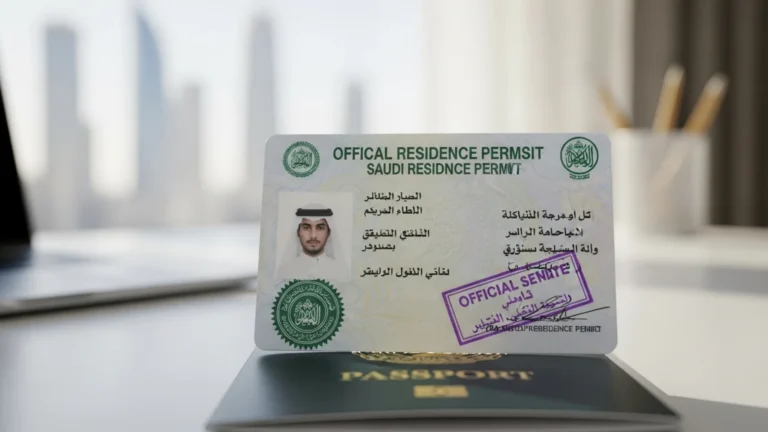
MOI Gov SA Iqama Check via Absher (2026)
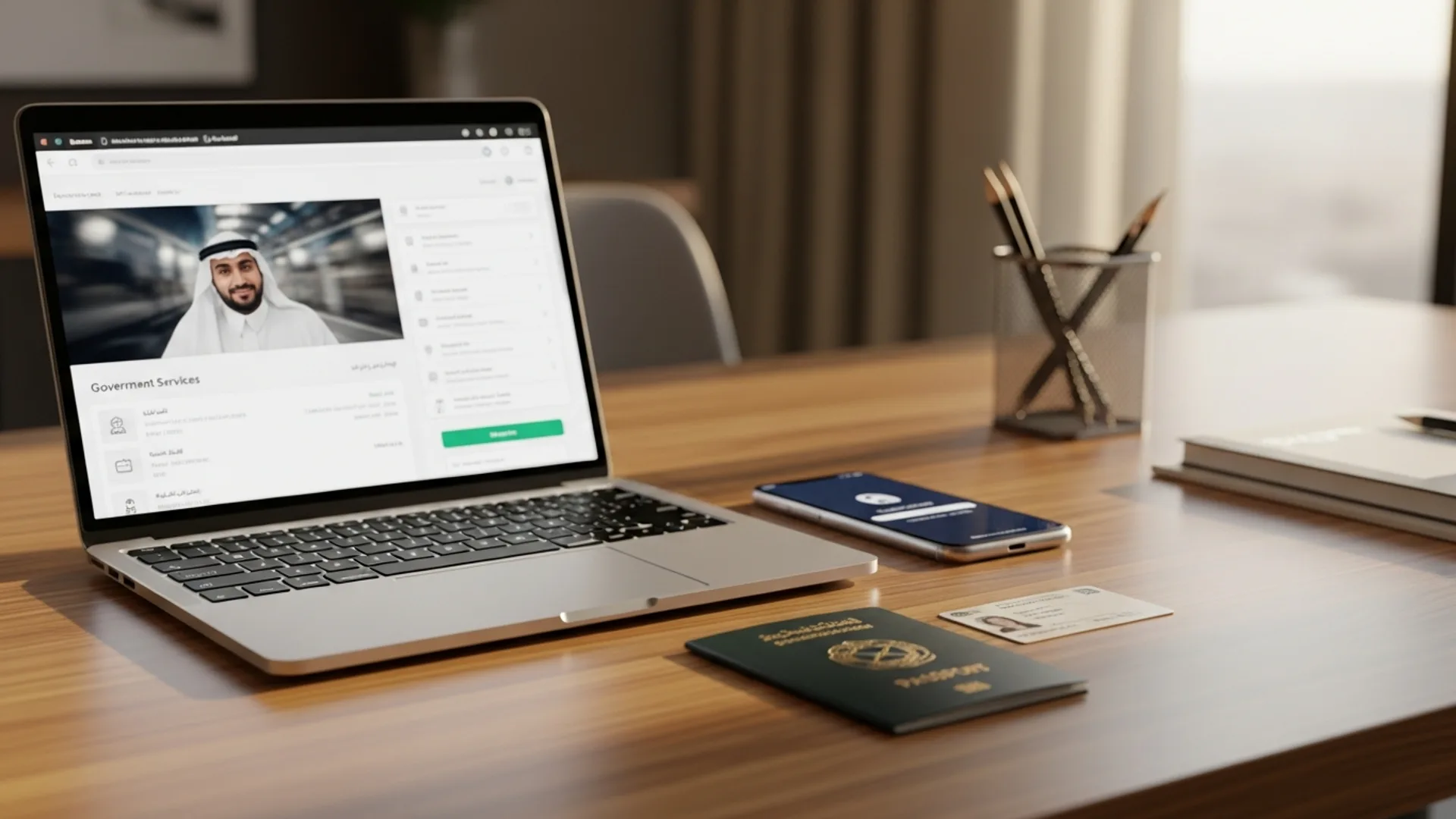
To run a MOI Gov SA Iqama check, log in to the Absher portal at absher.sa with your National/Iqama number and password, complete the OTP step, then open “My Services” and select the Iqama validity enquiry — the status loads in under 2 minutes and is free. The Ministry of Interior (MOI) issues residency through Absher, where you can confirm your Iqama expiry date, the ~SAR 650/year government renewal fee plus levies, and whether your record is active in roughly 3 clicks.
What the MOI Gov SA Iqama Check Is
The “MOI Gov SA Iqama check” refers to verifying the status of a Saudi residency permit (Iqama) through the Ministry of Interior’s digital channels. The MOI runs the national identity and residency system, and the public-facing gateway for residents and citizens is the Absher platform. When people search “moi gov sa iqama check,” they almost always want one of three answers: is my Iqama still valid, when does it expire, and what do I owe to renew it.
An Iqama is the residency card every foreign national living and working in the Kingdom of Saudi Arabia holds. It links you to your employer (the legal sponsor), your profession, and your renewal cycle. Because so much depends on it — bank accounts, mobile contracts, exit/re-entry visas, vehicle registration, and dependant status — keeping it active and verified is a routine part of life and business in Saudi Arabia. The MOI Iqama check is the fastest way to stay ahead of an expiry and avoid renewal delays.
There are two complementary MOI ecosystems you will encounter. Absher is the individual portal (for the resident themselves). Muqeem (muqeem.sa) is the establishment portal that employers and authorised agents use to manage residency services for their staff at scale. Both draw on the same MOI residency database, so the Iqama status you read in either should match.
It is worth being precise about the terminology, because the search phrase “moi gov sa” reflects how people remember the Ministry of Interior’s web presence. Historically residents used a government services site to query Iqama validity; today that functionality lives inside Absher and the national single sign-on at my.gov.sa. So when you see older references to a standalone “MOI Iqama check page,” the modern, official route is Absher (for individuals) or Muqeem (for establishments). Both are MOI-backed, both are free for the validity enquiry, and both return the same Hijri and Gregorian expiry dates.
One more distinction helps avoid confusion: an Iqama check tells you the status of an existing residency permit, while a visa or border-number enquiry relates to entry permits before the Iqama is issued. If you are still on a work visit visa or your first work visa is being converted into an Iqama, the relevant enquiry sits with the Ministry of Foreign Affairs (MOFA) Enjaz/visa platform (visa.mofa.gov.sa) until your residency is formally issued and appears in Absher.
Who Needs to Run an Iqama Check
If you employ people in Saudi Arabia or live there as an expatriate, the Iqama check matters to you. The most common users are:
- Expatriate residents confirming their own Iqama expiry before it lapses, so they can renew on time and keep their exit/re-entry visa valid.
- Employers and HR teams tracking renewal dates for every sponsored employee through Muqeem, so labour records stay compliant with the Ministry of Human Resources and Social Development (MHRSD) and Qiwa.
- Business owners and investors who have just received a MISA investment licence and are about to sponsor their first hires — they need to understand the Iqama lifecycle before onboarding staff.
- Dependants and family members whose residency is tied to a head-of-household Iqama and whose renewal follows the primary holder.
For new market entrants, the Iqama check is often the first hands-on compliance task after the company is registered. If you are still at the formation stage, our company formation in Saudi Arabia guide explains how the licence, Commercial Register, and sponsorship file connect to the residency permits you will later verify in Absher.
How to Run the MOI Gov SA Iqama Check on Absher (Step by Step)
Absher is the official MOI portal for individuals. The Iqama validity enquiry is one of its most-used free services. Here is the exact path:
- Go to absher.sa and choose Absher Individuals (Afrad), or open the Absher mobile app.
- Enter your username (National ID / Iqama number) and password on the login screen, then complete the image-verification (CAPTCHA) prompt.
- Approve the one-time password (OTP) sent to your registered mobile number. This two-step verification protects your record.
- On the dashboard, open “My Services” then the “Services” menu.
- Select “Query Iqama Expiry Service” (sometimes shown as “Iqama Validity” or “Residency Information”).
- Read the result: the screen shows your Iqama number, the Hijri and Gregorian expiry dates, your profession, and the sponsor/employer name. Note the expiry so you can plan the renewal.
Checking via the Absher app vs the website
The Absher app mirrors the website services and is convenient for quick checks. Whichever you use, the residency data comes from the same MOI source. If a service is greyed out, it usually means your account needs the higher “Absher verified” tier — complete the in-app verification, then retry.
Reading Hijri vs Gregorian expiry dates
Iqama expiry is recorded primarily on the Hijri (lunar) calendar, and Absher shows both the Hijri date and its Gregorian equivalent. This matters because the Hijri year is about 11 days shorter than the Gregorian year, so an Iqama that “expires next March” on the Gregorian calendar may actually fall due slightly earlier than you expect when measured in Hijri months. When you plan a renewal, anchor your reminder to the Hijri date shown in Absher, not a rough Gregorian estimate, so you never accidentally let the permit lapse by a few days.
Checking an Iqama without logging in
Some MOI-linked enquiries can be made with just an Iqama or border number on certain government touchpoints, but the authoritative, complete view — expiry, profession, sponsor, and renewal status — is the one inside your own verified Absher account. For anything you intend to act on (a renewal, an exit/re-entry visa, a transfer), use the logged-in Absher or Muqeem route rather than a partial public lookup, so you are reading the live MOI record.
How Employers Check Iqama Status on Muqeem
Establishments verify staff residency through Muqeem, an MOI-authorised platform operated for the private sector. After your company is registered with Muqeem, an authorised user can:
- Log in to the Muqeem portal with the establishment credentials.
- Open the Employees / Residency Services section.
- Search by the employee’s Iqama number or name.
- View the Iqama validity, expiry date, and renewal status for that worker.
- Initiate renewals, issue exit/re-entry visas, or print residency reports as needed.
Muqeem is the practical control panel for HR compliance because it shows every sponsored employee in one list. Pairing Muqeem residency tracking with your Qiwa labour file keeps your establishment aligned with MHRSD rules. New investors setting up their sponsorship file should review our MISA licence in Saudi Arabia guide, because the investment licence is what unlocks your ability to register on Muqeem and sponsor Iqamas in the first place.
Bulk checks and renewal planning for HR teams
For a growing establishment, the value of Muqeem is not the single lookup — it is the ability to see every employee’s expiry on one screen and plan renewals in batches. A practical rhythm many HR teams adopt:
- Monthly: pull the residency report from Muqeem and flag any Iqama expiring within the next 60 days.
- Per renewal: confirm the employee’s passport validity and medical insurance are in date before generating the SADAD bill, because a renewal cannot complete without them.
- Quarterly: reconcile the Muqeem list against your Qiwa contracts so professions and headcount match across both MOI and MHRSD systems.
This cadence turns the Iqama check from a reactive scramble into a predictable calendar item, which is exactly what auditors and your own finance team prefer.
Documents and Details You Need
The MOI Iqama check itself is a read-only enquiry, so it needs very little. To log in and read your status, have ready:
- Your National ID or Iqama number (10 digits).
- Your Absher username and password.
- A registered mobile number in Saudi Arabia to receive the OTP.
To then renew the Iqama once you have checked the expiry, the broader file typically includes:
- A valid passport for the employee (and dependants).
- A valid medical insurance policy covering the renewal period.
- A cleared government fee plus the labour/expat levy, paid via SADAD before the renewal is processed.
- An active employer file with no blocking issues in Qiwa or Muqeem.
For first-time investors, the very first Iqama is issued after the company holds a valid MISA licence, a Commercial Register from the Ministry of Commerce, and a registered establishment with MHRSD and GOSI. The Iqama check then becomes a recurring task for each renewal cycle.
MOI Iqama Fees and Timeline Table (Indicative 2026)
The status check itself is free. The figures below cover the connected renewal costs. All amounts are indicative for 2026 — confirm current figures on the official portal (Absher/Muqeem) at the time of payment, because levies are reviewed periodically.
| Item | Indicative fee (SAR) | Typical timeline | Where |
|---|---|---|---|
| Iqama status / validity check | Free | Under 2 minutes | Absher / Muqeem |
| Iqama issuance/renewal (government fee) | ~650 / year | Same day once paid | Absher / Muqeem (SADAD) |
| Expat/labour levy per worker (varies by ratio) | Varies — confirm on portal | Per renewal cycle | SADAD bill |
| Medical insurance (per employee) | Varies by plan/age | Before renewal | Insurer / CCHI-approved |
| Exit/re-entry visa (linked service) | ~200 single (indicative) | Instant after payment | Absher / Muqeem |
Because the expat levy depends on the ratio of Saudi to non-Saudi employees in your establishment, the exact SADAD bill is generated for your file — always read the live amount in Absher or Muqeem rather than relying on a fixed number.
Renewing the Iqama After You Check It
Checking the expiry is step one; renewing is step two. Once Absher or Muqeem shows an upcoming expiry, the renewal flow is straightforward but order-sensitive. Do it in this sequence:
- Confirm prerequisites — passport valid, medical insurance active for the new period, and the employer file clear of blocks in Qiwa/Muqeem.
- Generate the bill — initiate the Iqama renewal in Absher (individuals) or Muqeem (establishment) to produce the SADAD payment reference covering the ~SAR 650/year government fee plus the applicable expat levy.
- Pay via SADAD — settle the bill through your bank app or online banking using the reference number; payment is what triggers the renewal.
- Process the renewal — return to Absher/Muqeem and submit the renewal; it typically completes the same day once the fee is paid.
- Re-check the status — run the Iqama validity enquiry again to confirm the new expiry date is reflected.
If the resident needs to travel during the renewal window, sort the exit/re-entry visa separately and make sure both the Iqama and the travel permit are valid for the full trip. The two are linked in MOI’s system: a lapsed Iqama can block a new exit/re-entry visa, which is another reason the early check matters.
Dependants, family Iqamas, and linked services
When a head-of-household sponsors family members, each dependant holds their own Iqama linked to the primary holder’s file. Checking and renewing follows the same Absher path, but a few points are worth knowing:
- Dependant renewals usually align with the primary holder’s cycle, and each dependant carries its own government fee — read the consolidated SADAD bill in Absher.
- Children’s Iqamas, schooling enrolment, and dependant medical insurance all reference the residency record, so keeping the primary Iqama valid keeps the whole family’s services active.
- The MOI residency record also underpins everyday services — bank KYC, mobile contracts (per CITC rules), and vehicle registration — which is why a single expired Iqama can ripple across several unrelated tasks.
For business owners, the same logic scales to your workforce: each employee’s valid Iqama is what keeps their bank account, salary transfer (under the Wage Protection System), and GOSI registration functioning smoothly. The Iqama check is, in effect, a health check on your entire compliant employment structure.
Reading the result: what the Iqama status means
When the Iqama enquiry loads, you will typically see one of these states:
- Valid / Active — the Iqama is current; note the expiry date and renew before it lapses.
- Expiring soon — within a short window of expiry; begin the renewal and levy payment now to avoid a gap.
- Expired — the residency has lapsed; renew promptly through Absher or ask your employer to action it on Muqeem.
- Under process — a renewal or transfer is mid-way; wait for it to complete, then re-check.
The screen also confirms your profession as recorded by MOI and your sponsor (employer). If either looks wrong, raise it with your employer’s HR or PRO so the Muqeem record can be corrected — the profession on your Iqama should match your actual role and your Qiwa contract.
Common Errors and How to Fix Them
Most MOI Iqama-check problems are login or data-sync issues, not portal faults. The frequent ones:
Login and OTP problems
- OTP not arriving — your mobile number may be out of date in Absher. Update it at an authorised kiosk or via your employer, then retry.
- Account not “verified” — some services need the higher Absher tier; complete identity verification in the app to unlock them.
- Forgotten password — use the “Forgot password” link and recover via your registered mobile/email.
Data and status problems
- Status shows expired but you just renewed — allow time for the MOI database to sync after a SADAD payment, then re-check; the system usually updates same day.
- Profession or sponsor looks wrong — this is a record issue for your employer to amend on Muqeem; it is not something you fix in the read-only enquiry.
- Service greyed out on Muqeem — the establishment file may have an outstanding obligation (e.g., a fee or a Qiwa/MHRSD flag); clear it, then the residency services re-enable.
How the Iqama Check Fits Your Wider Saudi Compliance
Iqama validity does not sit alone. For an employer, it is one node in a connected compliance map governed by several Saudi authorities:
- MISA (Ministry of Investment) — issues the investment licence that lets a foreign-owned company operate and sponsor staff. MISA licensing typically takes ~3–10 business days, and issuance/renewal fees were suspended in 2026 (previously SAR 12,000 and SAR 62,000).
- Ministry of Commerce — issues the Commercial Register (CR). Under the new Commercial Register Law effective 3 April 2026, the CR is a unified national register, the number starts with “7,” and it no longer expires (an annual confirmation replaces renewal, with a 5-year grace window). CR fees are indicatively ~SAR 1,200–2,000.
- MHRSD & Qiwa — govern labour contracts and Saudisation; your Qiwa file must align with the professions on your Iqamas.
- GOSI — social insurance; total contributions run to roughly 21.5% for Saudi employees (employer plus employee shares).
- ZATCA — tax and e-invoicing (Fatoora), with VAT at 15% and phased integration waves.
The Saudi Business Center (mc.gov.sa) ties many of these threads together for company registration. Most activities now allow 100% foreign ownership, which is part of what makes the Kingdom’s Vision 2030 investment drive so accessible. Keeping each Iqama current is simply the staffing layer of that same compliant structure.
How Noble Core Helps
Noble Core is a Saudi business-setup consultancy. We do not just tell you where the Absher button is — we run the full residency and compliance cycle for your establishment so Iqama checks stop being a worry. Our team:
- Sets up your Muqeem and Qiwa establishment files so every employee’s Iqama status is visible in one dashboard.
- Tracks renewal dates and prepares the SADAD payments and documents before each expiry, so no permit lapses.
- Corrects profession and sponsor records, manages exit/re-entry visas, and keeps your MHRSD/GOSI obligations clean.
- Handles the upstream pieces too — MISA licence, Commercial Register, and ZATCA registration — so your sponsorship capacity is in place before you hire.
Our end-to-end Saudi setup and PRO package starts from SAR 36,999 (indicative; the final scope depends on your activity and headcount — confirm current figures with our team). Whether you are checking a single Iqama today or building an HR compliance system for a growing team, we make the MOI residency layer routine. Start with our Saudi company formation service, or go straight to the MISA licence step if you already know your activity.
Common Mistakes to Avoid
- Waiting until expiry — check the Iqama well ahead of the date so the renewal and levy payment clear without a gap.
- Relying on a fixed levy figure — the expat levy varies by your Saudisation ratio; always read the live SADAD amount in Absher or Muqeem.
- Ignoring a wrong profession or sponsor — a mismatch between your Iqama profession and your Qiwa contract can complicate renewals; fix it early.
- Letting the Absher mobile number go stale — if the OTP can’t reach you, you can’t check or renew; keep the registered number current.
- Re-checking immediately after payment and panicking — allow the MOI database a short sync window before re-reading the status.
- Treating the check as the whole job — the status is read-only; the renewal, levy, insurance, and employer-file steps are what actually keep residency valid.
Need help setting up in Saudi Arabia? Noble Core handles your MISA licence, commercial registration, and visas end-to-end — done right the first time.
Frequently Asked Questions
How do I do a MOI Gov SA Iqama check?
Log in to Absher at absher.sa with your National or Iqama number and password, complete the OTP step, then open My Services and select the Query Iqama Expiry service. The status, expiry date, profession, and sponsor load in under 2 minutes, and the check is completely free.
Is the MOI Iqama check on Absher free?
Yes. Reading your Iqama validity and expiry date on the Absher portal is a free, read-only MOI service. You only pay when you renew the Iqama, which carries a government fee of roughly SAR 650 per year plus the applicable expat levy, paid through SADAD. Confirm current figures on the official portal.
What is the difference between Absher and Muqeem for an Iqama check?
Absher (absher.sa) is the individual MOI portal where a resident checks their own Iqama. Muqeem (muqeem.sa) is the establishment portal where employers verify and renew residency for all sponsored staff in one dashboard. Both pull from the same MOI database, so the Iqama status should match in either.
How much does Iqama renewal cost in 2026?
The government Iqama issuance or renewal fee is indicatively around SAR 650 per year, plus an expat/labour levy that varies with your establishment’s Saudisation ratio, plus medical insurance. The status check itself is free. Always read the live SADAD bill in Absher or Muqeem because levies are reviewed periodically.
Why is my Iqama status not showing on Absher?
Usually it is a login or verification issue. The OTP may not reach an outdated mobile number, or your account may need the higher Absher verified tier to unlock the service. Update your registered number, complete identity verification in the app, and retry. If you just paid, allow a short MOI database sync window.
Can my employer check my Iqama expiry for me?
Yes. Employers and authorised HR users verify and renew staff Iqamas through the Muqeem establishment portal, searching by Iqama number or name to see validity and expiry. This is how companies track every sponsored employee’s residency in one place and keep records aligned with MHRSD and Qiwa labour rules.
What does an expired Iqama status mean and how do I fix it?
An expired status means your residency has lapsed and needs renewing. Renew through Absher, or ask your employer to action it on Muqeem, by clearing the government fee and expat levy via SADAD with valid passport and medical insurance in place. Re-check the status after the database syncs, usually the same day.
Do I need an Iqama check before setting up a company in Saudi Arabia?
Not before formation, but it becomes routine straight after. Once your MISA licence and Commercial Register are issued and your establishment is registered with MHRSD, GOSI, and Muqeem, you sponsor staff and verify each Iqama on Absher or Muqeem. Noble Core sets up this residency-tracking layer as part of full Saudi setup.