
Verify a VAT / Tax Number in Saudi Arabia (2026)
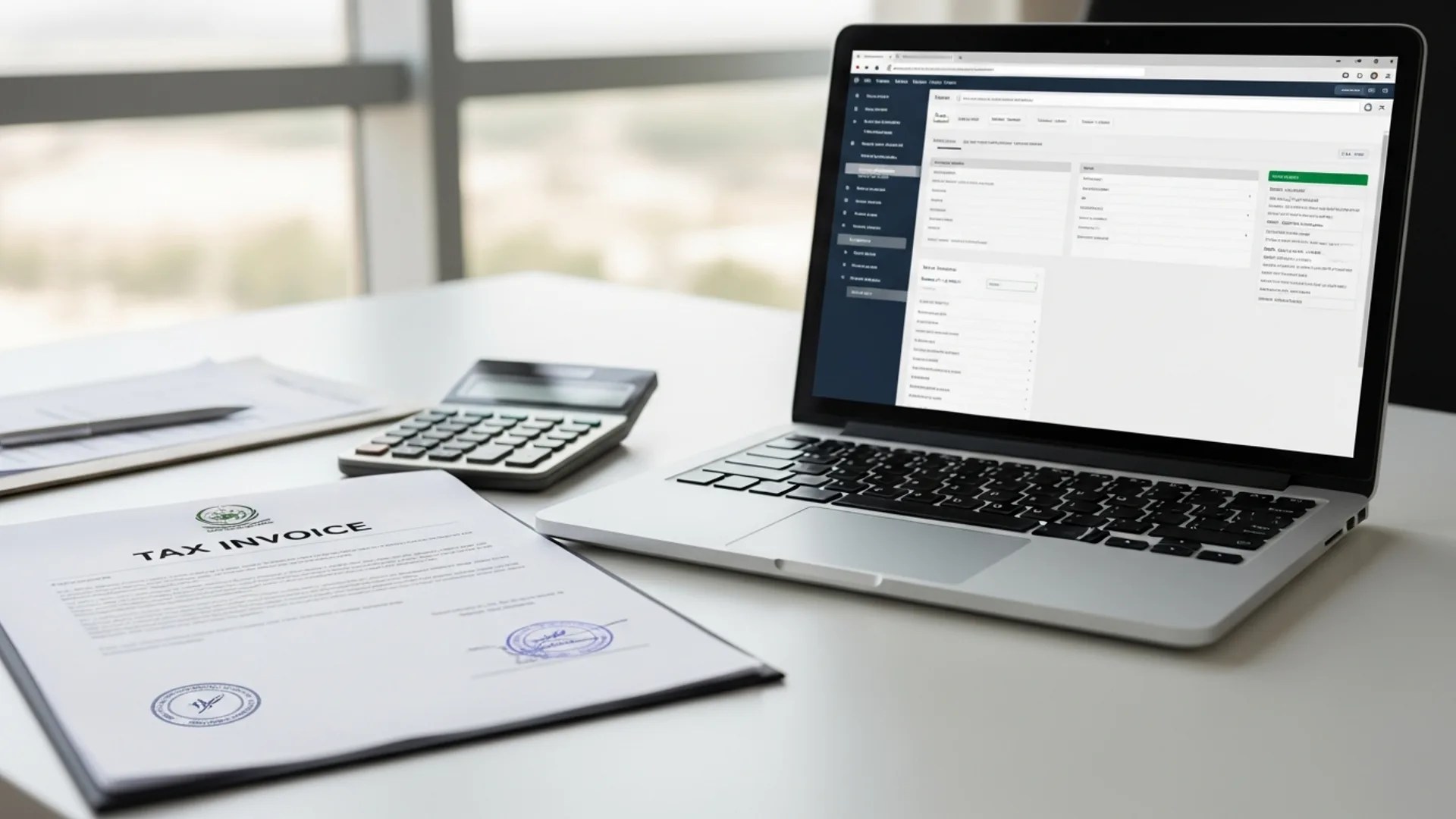
To verify a VAT / tax number in Saudi Arabia, use the free ZATCA portal at zatca.gov.sa under “E-Services → Verify a registration in VAT,” enter the 15-digit VAT number (it starts with 3 and ends with 3), and the system confirms in under 30 seconds whether the business is VAT-registered, its legal name, and registration status. There is no fee, and standard VAT is 15%.
If you are paying an invoice, onboarding a supplier, or issuing a tax invoice in the Kingdom, confirming that a counterparty’s VAT number is real and active protects you from invalid input-tax claims and fraudulent invoices. This guide walks through every step on the Zakat, Tax and Customs Authority (ZATCA) portal, explains what a Saudi VAT number actually looks like, lists the documents you need, and shows the fees and timelines for registering your own number. It is written for founders, finance teams, and newcomers setting up in Saudi Arabia who need a clear, do-it-yourself reference.
What a VAT / tax number in Saudi Arabia actually is
A VAT registration number is a unique identifier issued by the Zakat, Tax and Customs Authority (ZATCA) to every business registered for Value Added Tax in Saudi Arabia. VAT was introduced in the Kingdom in January 2018, and the standard rate today is 15%. Any business charging VAT on its invoices must hold a valid VAT number and display it on every tax invoice it issues.
It helps to distinguish three related numbers that newcomers often confuse:
- VAT registration number, a 15-digit number used specifically for VAT. It begins with the country code 3 (for Saudi Arabia) and also ends with 3, with the entity’s identifier in between. This is the number you verify on the ZATCA portal.
- Tax Identification Number (TIN), the broader taxpayer file number ZATCA assigns when a business registers for any tax (VAT, Zakat, corporate income tax, withholding tax). The VAT number is derived from and linked to this taxpayer file.
- Commercial Registration (CR) number, issued by the Ministry of Commerce, not ZATCA. Under the Commercial Register Law effective 3 April 2025, the unified national CR number starts with “7” and no longer carries an expiry date; businesses confirm their data annually instead. The CR is the company’s trade identity, while the VAT number is its tax identity.
When you “verify a VAT number,” you are confirming that a specific 15-digit code is genuinely registered with ZATCA and tied to an active, named business. The verification tool does not reveal financial data or filing history; it simply confirms existence, the registered legal name, and current status. That is exactly what you need for invoice and supplier checks.
Why the format matters
The 15-digit “3…3” pattern is deliberate. The leading 3 is the GCC country code allocated to Saudi Arabia, and the trailing 3 marks the number as a VAT registration rather than a general taxpayer identifier. Because the pattern is fixed, you can often spot an obviously fake number before you even open the portal: if it has letters, only 9 or 10 digits, or starts with 7 (a Commercial Registration), it cannot be a Saudi VAT number. Treat the portal lookup as the final confirmation, not the first filter.
Who needs to verify a VAT number, and why
Verification is a routine compliance habit, not a one-off task. You should check a counterparty’s VAT number whenever any of the following apply:
- You are claiming input VAT. To recover the 15% VAT you paid a supplier, the supplier’s tax invoice must show a valid, active VAT number. If the number is fake or deregistered, ZATCA can disallow your input-tax claim.
- You are onboarding a new supplier or vendor. Confirming VAT status during due diligence avoids problems later when you reconcile invoices.
- You received an invoice that looks unusual. If a “tax invoice” charges 15% VAT but the number does not verify, the invoice may be invalid and the VAT should not be paid as tax.
- You are checking your own registration. After registering, businesses confirm their number is live and correctly spelled before printing it on invoices and e-invoicing (Fatoora) systems.
- You are a customer who wants assurance. Buyers sometimes verify that a merchant is genuinely VAT-registered before a large purchase.
Because the ZATCA verification tool is free and public, there is no reason not to check. For companies still in the formation stage, getting the VAT and tax setup right from day one is far easier than fixing it later, which is exactly where structured company formation in Saudi Arabia support pays off.
Step-by-step: how to verify a VAT number on the ZATCA portal
The official tool lives on the ZATCA website at zatca.gov.sa. It is free, available in Arabic and English, and requires no login. Follow these steps:
- Open the ZATCA portal. Go to zatca.gov.sa and switch the language to English (top-right) if you prefer.
- Find the E-Services menu. Click “E-Services,” then locate the service titled “Verify a registration in VAT” (sometimes shown as “VAT Registration Verification” or “Verify an establishment’s VAT registration”).
- Choose your search method. The tool typically lets you search by the 15-digit VAT number, the Tax Identification Number, or the Commercial Registration number. Select the option that matches the data you have.
- Enter the number. Type the 15-digit VAT number carefully. Remember it starts with 3 and ends with 3. Avoid spaces or dashes.
- Complete the CAPTCHA. Enter the verification code shown to confirm you are not a bot.
- Submit and read the result. The portal returns the registered legal name, the VAT registration status (registered/active), and the registration details within seconds. If nothing is found, the number is not a valid Saudi VAT registration.
For your own business, you can also log in to the ZATCA taxpayer portal with your account to see your full tax file, including VAT, Zakat, and e-invoicing (Fatoora) onboarding status.
A few practical tips make the lookup smoother. The public verification tool is rate-limited and CAPTCHA-protected, so if you need to check many suppliers in one sitting, space the queries out rather than firing them rapidly. The English and Arabic versions return the same data, so use whichever you read faster. And because the result shows the registered legal name, which may differ slightly from a trading or brand name on an invoice, focus on whether the legal entity matches rather than expecting a word-for-word match with the letterhead.
Checking a VAT number on an e-invoice (Fatoora)
ZATCA’s e-invoicing system, branded Fatoora, is being rolled out in waves to taxpayers above set revenue thresholds. Compliant electronic invoices carry a QR code that, when scanned, displays the seller’s name and VAT number alongside the invoice value and VAT amount. Scanning that QR code is a quick secondary check that the VAT number on the invoice matches the registered seller.
Required IDs and documents for verification and registration
Verifying someone else’s VAT number needs nothing more than the number itself: no documents, no login. Registering your own VAT number, however, requires a taxpayer file with ZATCA. To register, have the following ready:
- An active Commercial Registration (CR) from the Ministry of Commerce / Saudi Business Center (mc.gov.sa).
- The company’s Tax Identification Number (TIN) / ZATCA taxpayer account (created when you register with ZATCA).
- National Address registered with Saudi Post (Address National / SPL).
- IBAN and bank details for the business.
- Owner / manager National ID or Iqama (residence permit) details, verified through Absher (absher.sa) where applicable.
- Expected or actual annual taxable turnover figures, since registration thresholds depend on revenue.
VAT registration is mandatory once taxable supplies exceed SAR 375,000 per year, and voluntary registration is available from SAR 187,500. These thresholds are set by ZATCA; always confirm the current figures on the official portal before relying on them.
It is worth understanding why each document is needed. The Commercial Registration ties the VAT file to a real, licensed trade entity. The National Address links the taxpayer to a verifiable physical location. The IBAN lets ZATCA process refunds and direct debits for filings. And the owner or manager identity, checked through Absher (absher.sa) for residents, confirms who is authorised to act for the business. Missing or mismatched details are the most common reason a VAT registration stalls, so it pays to confirm each item is current and consistent across the CR, the taxpayer file, and the bank record before you start.
Fees and timelines: VAT verification vs registration
Verification itself is always free. The costs below relate to setting up a business and its tax file in the Kingdom. Figures marked indicative may change, so confirm current numbers on the relevant official portal.
| Item | Authority / Portal | Indicative fee (SAR) | Typical timeline |
|---|---|---|---|
| Verify a VAT number | ZATCA (zatca.gov.sa) | Free | Under 1 minute |
| VAT registration | ZATCA | Free (no registration fee) | A few business days |
| Standard VAT rate | ZATCA | 15% of taxable value | Charged per invoice |
| Commercial Registration (CR) | Ministry of Commerce / Saudi Business Center | 1,200 + 500 publication + VAT (LLC) | 1–3 business days |
| Chamber of Commerce membership | Local Chamber | Free for the first 3 years, then 200–5,000 / year by class | 1–3 business days |
| MISA investment registration (foreign investors; replaced the licence in Feb 2025) | MISA (Ministry of Investment) | Set by MISA on approval | Within 10 working days of a complete file |
| Iqama issuance / renewal (per employee) | Absher / Ministry of Interior | ~650 / year govt fee + levies (indicative) | Varies |
Note that ZATCA does not charge to register for VAT or to verify a number: the meaningful costs come from forming the company itself (CR, chamber, and, for foreign investors, the MISA investment registration, whose fee MISA sets on approval).
Reading the verification result correctly
When the ZATCA tool returns a result, check three things:
- Legal name match. The registered name shown should match the supplier on the invoice. A mismatch is a red flag: the number may belong to a different entity.
- Active / registered status. The status should indicate the entity is currently VAT-registered. A deregistered number cannot legally appear on a new tax invoice.
- Number format. A genuine Saudi VAT number is exactly 15 digits, starting and ending with 3. Anything shorter, longer, or not following that pattern is not a valid VAT number.
If the tool finds nothing, do not assume a portal error. First re-check that you typed all 15 digits with no spaces. If it still fails, treat the number as unverified and ask the supplier for a corrected tax invoice before paying any VAT element.
What a valid tax invoice should contain
A compliant Saudi tax invoice does more than show a VAT number. Under ZATCA rules it should also include the seller’s name and address, the invoice date, a unique invoice number, a description of the goods or services, the taxable amount, the 15% VAT shown separately, and the total payable. For e-invoices issued under Fatoora, a QR code is also required. When you verify the VAT number, glance over these other elements too: a genuine number on an otherwise incomplete invoice can still create problems when you reclaim input tax.
Common errors when verifying a Saudi VAT number
Most failed lookups come down to simple input or expectation mistakes rather than portal faults:
- Confusing the CR number with the VAT number. The CR (starting “7” under the unified register) is a trade identifier; the VAT number is a 15-digit tax identifier starting and ending in 3. Searching with the wrong number returns nothing.
- Dropping or adding a digit. A Saudi VAT number is exactly 15 digits. A 14- or 16-digit entry will fail.
- Including spaces, dashes, or letters. Enter only the digits.
- Mistyping the CAPTCHA. Refresh the code and re-enter it.
- Expecting a deregistered business to appear as active. A company that has closed or deregistered will show inactive status; that is correct behaviour, not an error.
- Using an unofficial third-party “VAT checker.” Always verify on zatca.gov.sa; third-party sites may show stale or incorrect data.
How VAT fits into setting up a business in Saudi Arabia
For a new company, the VAT number is one piece of a sequence handled across several Saudi authorities. The typical order is: secure a foreign-investment licence from MISA (the Ministry of Investment) if you are an overseas investor, issue the Commercial Registration through the Ministry of Commerce / Saudi Business Center, register the entity with ZATCA for tax and VAT, register staff with the General Organization for Social Insurance (GOSI) and the labour platforms, and obtain Iqamas through Absher.
A few useful context points for 2026:
- 100% foreign ownership is permitted in most activities through MISA licensing.
- The MISA licence became an investment registration in February 2025: MISA decides within 10 working days of a complete file and sets the fee on approval, so confirm the current amount on the MISA portal.
- GOSI contributions for Saudi employees total roughly 21.5% (employer plus employee portions combined); confirm current rates on gosi.gov.sa.
- ZATCA e-invoicing (Fatoora) integration continues in waves, so a newly formed company should plan for compliant invoicing software early.
Because the VAT file links to the CR and the taxpayer record, getting the foundation right matters. Foreign investors in particular benefit from sequencing the MISA licence in Saudi Arabia correctly before the CR and tax registrations, so the VAT number issues cleanly on the first attempt.
The Kingdom’s broader Vision 2030 programme has steadily digitised these government services, so most of the chain now runs through online portals, ZATCA for tax, the Saudi Business Center and Ministry of Commerce for the CR, Qiwa (qiwa.sa) for labour contracts, Muqeem (muqeem.sa) for residency processing, and Absher (absher.sa) for individual identity services. Once your VAT number is live, you will use it on every tax invoice, in your e-invoicing system, and on periodic VAT returns filed through ZATCA, typically monthly or quarterly depending on turnover. Keeping the number, the CR, and your contact details synchronised across these platforms is what keeps day-to-day compliance smooth.
Common mistakes to avoid
- Paying the VAT element on an unverified invoice. If the number does not verify on ZATCA, hold the VAT portion and request a corrected tax invoice first.
- Assuming a CR number is a VAT number. They are issued by different authorities (Ministry of Commerce vs ZATCA) and have different formats.
- Forgetting to display your own VAT number on invoices. Every tax invoice you issue must show your valid 15-digit number, or it is non-compliant.
- Ignoring the e-invoicing (Fatoora) waves. Once your business is in scope, invoices must be issued through compliant systems; plan ahead.
- Relying on outdated fee figures. CR, chamber, and licence fees change. Always reconfirm on the official portal before budgeting.
- Registering for VAT too late. Once taxable turnover crosses SAR 375,000, registration is mandatory, and delaying can create compliance gaps.
How Noble Core helps
Noble Core is a Saudi business-setup consultancy that handles the full tax and licensing chain so your VAT number issues correctly the first time. We help clients with:
- MISA licensing for foreign investors, sequenced ahead of the Commercial Registration so downstream tax registration is clean.
- Commercial Registration through the Ministry of Commerce / Saudi Business Center under the unified national CR rules in force since April 2025.
- ZATCA tax and VAT registration, including setting up the taxpayer file, obtaining the 15-digit VAT number, and preparing for e-invoicing (Fatoora).
- GOSI, Qiwa, Muqeem, and Absher registrations for staff, payroll, and Iqamas.
- Ongoing compliance, from annual CR confirmation to VAT filing reminders.
We quote in writing after reviewing your activity, covering the licensing, registration, and tax-onboarding steps that get you from idea to a fully compliant, VAT-registered entity (ask for a written quote on WhatsApp). If you are forming a company and want the VAT number handled correctly from the start, our team manages every portal and authority on your behalf.
Need help setting up in Saudi Arabia? Noble Core handles your MISA licence, commercial registration, and visas end to end, done right the first time.
Frequently Asked Questions
How do I verify a VAT number in Saudi Arabia?
Verify a VAT number in Saudi Arabia free on the ZATCA portal at zatca.gov.sa. Open E-Services, choose “Verify a registration in VAT,” enter the 15-digit VAT number (it starts and ends with 3), complete the CAPTCHA, and submit. The portal shows the registered legal name and active status in under a minute. No login or fee is required.
What does a Saudi VAT number look like?
A Saudi VAT registration number is exactly 15 digits. It begins with the country code 3 (for Saudi Arabia) and also ends with 3, with the entity’s identifier in between. Anything shorter, longer, or containing letters, spaces, or dashes is not a valid VAT number. Do not confuse it with the Commercial Registration number, which is a separate trade identifier.
Is there a fee to verify a VAT number on ZATCA?
No. Verifying a VAT number on the ZATCA portal at zatca.gov.sa is completely free and public, requiring no account or login. Registering your own VAT number is also free of charge with ZATCA. The standard VAT rate in Saudi Arabia is 15%, but the verification and registration services themselves carry no fee from ZATCA.
What is the difference between a VAT number and a CR number in Saudi Arabia?
A VAT number is a 15-digit tax identifier issued by ZATCA, starting and ending with 3, used for Value Added Tax. A Commercial Registration (CR) number is issued by the Ministry of Commerce and identifies the company’s trade entity. Under the unified register in force since April 2025, CR numbers start with 7 and carry no expiry. They are different numbers from different authorities.
How do I check if a VAT number on an invoice is valid?
Enter the supplier’s 15-digit VAT number into the ZATCA verification tool at zatca.gov.sa and confirm the registered legal name matches the invoice and the status is active. For e-invoices under Fatoora, scan the QR code, which displays the seller’s name and VAT number. If the number does not verify, hold the VAT portion and request a corrected tax invoice.
When must a business register for VAT in Saudi Arabia?
VAT registration with ZATCA is mandatory once a business’s annual taxable supplies exceed SAR 375,000. Voluntary registration is available from SAR 187,500 in taxable turnover. These thresholds are set by ZATCA and can change, so confirm the current figures on the official zatca.gov.sa portal. Registration itself is free, and the standard VAT rate is 15%.
What documents do I need to register for a VAT number?
To register a VAT number with ZATCA you need an active Commercial Registration from the Ministry of Commerce, a ZATCA taxpayer account (TIN), a registered National Address, business IBAN and bank details, the owner or manager’s National ID or Iqama verified through Absher, and expected annual taxable turnover figures. Verifying someone else’s number, by contrast, needs only the 15-digit number.
Can Noble Core handle VAT and tax registration in Saudi Arabia?
Yes. Noble Core manages the full chain: MISA licensing for foreign investors, Commercial Registration through the Saudi Business Center, and ZATCA tax and VAT registration including obtaining the 15-digit VAT number and Fatoora e-invoicing setup. We also handle GOSI, Qiwa, Muqeem, and Absher steps. We quote in writing after reviewing your activity.