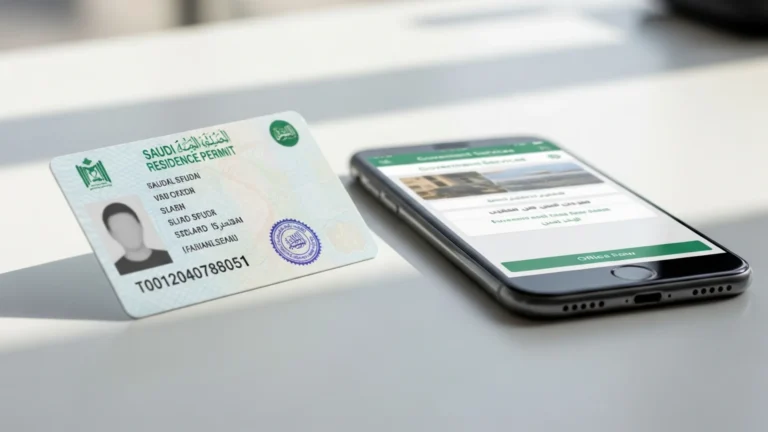
Muqeem Login & Portal Services (2026)

To complete a Muqeem login, go to the official Muqeem portal at muqeem.sa, click “Login,” and sign in with your Absher Business or Muqeem credentials — most employers verify the account in under 5 minutes. Muqeem is the Ministry of Interior’s online platform for managing expatriate residency (Iqama) services in Saudi Arabia. Establishments use it to issue and renew Iqamas (govt fee ~SAR 650/year plus levies), manage exit/re-entry visas, run report (Muqeem) checks, and view employee residency data — all from one dashboard. This 2026 guide walks through the Muqeem login step by step, the documents you need, indicative fees, common errors, and how Noble Core gets your establishment set up correctly from day one.
What is Muqeem and what does the portal do?
Muqeem (مقيم) is the official electronic portal operated under the Saudi Ministry of Interior that lets registered establishments and authorised users manage residency-related services for their expatriate employees. Rather than visiting a passport office for routine transactions, an HR officer or PRO can complete most Iqama and travel-permit tasks online through the Muqeem login. It is one of the digital services in the Kingdom’s wider e-government ecosystem alongside Absher, Qiwa, and the national single sign-on at my.gov.sa.
Through the Muqeem portal an establishment can:
- Issue a new Iqama (residency permit) for a newly arrived employee.
- Renew an existing Iqama before it expires (indicative govt fee ~SAR 650/year plus applicable levies).
- Issue single or multiple exit and re-entry visas for staff travelling abroad.
- Issue final exit visas at the end of a contract.
- Run a “Muqeem check” / report to confirm an employee’s residency status and validity dates.
- Transfer information, update passport data, and manage dependents linked to an employee.
Because these services touch the Ministry of Interior and link to the General Directorate of Passports (Jawazat), accuracy matters: every transaction is tied to your establishment’s commercial registration and your employees’ official records.
Muqeem for individuals vs establishments
It helps to understand the split. An individual expatriate can view their own Iqama details, validity dates, and linked dependents through their personal Absher account — useful for checking when a residency permit expires or confirming a re-entry visa is active. The establishment-side Muqeem login, by contrast, is where the actual employer actions happen: issuing a permit, paying the renewal levy, granting an exit visa, or pulling a status report across the whole workforce. If you are an employee simply wanting to check your status, you do not need a separate Muqeem account — your Absher app already shows it. If you run a company, the establishment Muqeem account is essential, and it is one of the first things a new business should activate after the commercial registration is issued.
Why the portal exists
Centralising residency services online is part of the Kingdom’s Vision 2030 push toward fully digital government. Transactions that once meant a physical visit and paper forms are now completed in minutes, with electronic records that authorities, employers, and travel checkpoints can all reference. For a growing company, that means faster onboarding, fewer office trips, and a clear audit trail of every Iqama and visa action taken on behalf of staff.
Who needs a Muqeem login?
The Muqeem portal is built for establishments — companies, branches, and licensed entities that employ expatriate staff in Saudi Arabia. If you are setting up a business and plan to hire foreign nationals, you will need Muqeem access to manage their residency lifecycle. Typical users include:
- Company owners and managers who hold the establishment’s Absher Business account.
- HR and Government Relations Officers (PROs) delegated to handle Iqama, visa, and travel-permit transactions.
- Authorised representatives of licensed entities, including foreign-owned companies operating under a MISA (Ministry of Investment) licence.
Individuals can view much of their own residency information through their personal Absher account, but employer-side actions — issuing or renewing an Iqama, granting an exit/re-entry visa — are performed by the establishment via Muqeem. If you are still at the formation stage, our company formation in Saudi Arabia team sets up the commercial registration and the linked government accounts so you can onboard staff without delays.
Muqeem login: step-by-step (2026)
Follow these steps to access the Muqeem portal. The exact screen labels may update over time, so confirm the current flow on the official site.
- Open the official portal. In your browser, go to muqeem.sa. Always type the address directly or use a verified bookmark rather than following links from emails.
- Click “Login.” On the Muqeem homepage, select the “Login” button in the top-right corner.
- Choose your account type. Establishments typically sign in using their Absher Business (Absher Aamal) credentials, which serve as the unified government login. Select the relevant option on the sign-in screen.
- Enter your username and password. Type the credentials registered for your establishment’s authorised user.
- Complete the verification (OTP). Enter the one-time password sent by SMS to the mobile number registered with Absher. This two-step verification protects every Muqeem session.
- Select the establishment. If your login is linked to more than one commercial registration, choose the correct establishment from the list.
- Open the service you need. From the dashboard, navigate to “Iqama services,” “Visa services,” or “Reports” to issue, renew, or verify a record.
First-time access
If your establishment has never used Muqeem, you generally first activate an Absher Business account for the company and link your commercial registration. The authorised user (usually the owner or a delegated manager) registers their national ID/Iqama number and a verified Saudi mobile number. Once the establishment account is active and approved, the Muqeem login works with the same Absher Business credentials.
A practical first-time sequence looks like this: (1) confirm your unified Commercial Registration is issued and active; (2) create or activate the Absher Business (Absher Aamal) account for the company; (3) verify the authorised user’s identity and mobile number; (4) link the CR to the Absher Business account; and (5) subscribe to the Muqeem services your establishment needs. Larger companies often delegate sub-users with specific permissions so that, for example, an HR officer can renew Iqamas but cannot change the master account settings. Setting these roles up cleanly at the start prevents access headaches later.
Keeping your account secure
Because the Muqeem login controls real financial and legal transactions, treat its credentials like banking access. Never share your password, always reach the portal by typing muqeem.sa directly, keep the registered mobile number current so OTPs arrive, and review the list of authorised sub-users periodically to remove anyone who has left the company. If you suspect unauthorised access, change the password through Absher immediately and review recent transactions.
Documents and IDs you need before logging in
Have the following ready so each Muqeem transaction goes through on the first attempt:
- Commercial Registration (CR) number — your establishment’s unified national CR (under the new Commercial Register Law effective 3 April 2026, the CR ID begins with “7” and has no expiry, replaced by an annual confirmation).
- Absher Business credentials — username, password, and access to the registered mobile for OTP.
- Employee Iqama / Border (visa) numbers — the residency or border number of each employee you are processing.
- Passport details — full name (as in passport), passport number, nationality, and expiry date for new Iqama issuance.
- Valid medical insurance — an active health-insurance policy is required for Iqama issuance and renewal.
- Sufficient account balance — government fees and levies are debited via SADAD, so the establishment must have funds available.
Keeping a clean, up-to-date file for each employee — passport copy, Iqama number, insurance details — dramatically reduces failed transactions and rework.
Muqeem fees and timelines (indicative, 2026)
The table below shows indicative government figures for common Muqeem services. Levies (such as the dependent fee and the expatriate-employee fee) vary by category and number of dependents, so always confirm the live amount shown on the portal before you pay. All figures are indicative — confirm current figures on the official portal.
| Service | Indicative govt fee (SAR) | Typical processing time |
|---|---|---|
| Muqeem login / account verification | No fee | Under 5 minutes |
| Iqama issuance (annual) | ~650/year + applicable levies | Same day (online) |
| Iqama renewal (annual) | ~650/year + applicable levies | Same day (online) |
| Exit & re-entry visa (single, ~2 months) | ~200 (then ~100/extra month) — confirm on portal | Instant (online) |
| Final exit visa | No core fee (settle dues first) | Same day (online) |
| Muqeem report / status check | Subscription-based for establishments | Instant |
| Medical insurance (required, annual) | Varies by plan/age | Before issuance |
Note: levies such as the expatriate-employee fee and dependent fees are set by regulation and change periodically. The Muqeem portal always displays the exact total before you confirm a SADAD payment — treat the figures above as planning estimates only.
How to issue or renew an Iqama through Muqeem
Once you are logged in, renewing an Iqama is one of the most frequent tasks. The general flow is:
- From the dashboard, open “Iqama Services” and choose “Renew Iqama” (or “Issue Iqama” for a new arrival).
- Enter or select the employee’s Iqama / border number.
- Confirm that the employee’s medical insurance is active — the system checks this automatically.
- Review the fee and levy breakdown the portal calculates for the renewal period (e.g. one year).
- Confirm and pay via SADAD from your establishment’s account balance.
- Download or print the updated Iqama details / receipt for your records.
Before you renew
Make sure the employee’s passport is valid (typically with at least several months remaining), insurance is active, and there are no outstanding traffic fines or government dues that block the transaction. Renewing a few weeks before expiry avoids any lapse in residency status.
Running a Muqeem report (status check)
One of the most-used features is the Muqeem report, which confirms an employee’s residency status and validity dates. Establishments typically access reports on a subscription basis. To run one: open “Reports” from the dashboard, enter the employee’s Iqama or border number, and the portal returns the current status, expiry date, and any flags. HR teams use this before booking travel, before renewing, or simply to keep workforce records accurate. Pulling a quick report whenever you onboard or offboard someone keeps your internal data aligned with the official Ministry of Interior record.
How to issue an exit / re-entry visa on Muqeem
When an employee needs to travel abroad and return on the same Iqama, the establishment issues an exit and re-entry visa:
- Open “Visa Services” from the Muqeem dashboard.
- Select “Issue Exit & Re-entry Visa” (single or multiple).
- Choose the employee and set the validity duration and start date.
- Review the calculated fee, then pay via SADAD.
- The visa is issued instantly and linked electronically to the employee’s passport — print the confirmation for travel.
For final departures at the end of a contract, the establishment issues a final exit visa instead, after settling any outstanding dues. Always coordinate timing with the employee so their travel plans and visa validity align.
Single vs multiple exit/re-entry visas
A single exit/re-entry visa covers one trip within a set validity window, while a multiple exit/re-entry visa lets the employee travel in and out several times during the period. Frequent business travellers benefit from the multiple option; occasional travellers usually take the single. The portal calculates the fee based on the duration and type you choose, and it is debited via SADAD at the moment of issuance. Plan the validity window to comfortably cover the employee’s return date — extending or re-issuing later costs additional fees.
Common Muqeem login errors and how to fix them
Most access problems trace back to credentials or account linkage. Here are the issues users hit most often and practical fixes:
- “Invalid username or password.” Confirm you are using the Absher Business (establishment) credentials, not a personal Absher login. Reset the password through Absher if needed.
- OTP not received. The one-time password goes to the mobile number registered in Absher. Update the registered number through Absher and ensure it can receive SMS in the Kingdom.
- Establishment not linked. If your CR does not appear, the commercial registration may not yet be linked to your Absher Business account — complete the linkage before transacting.
- Transaction blocked / insufficient balance. Government fees are debited via SADAD; top up the establishment account before issuing or renewing.
- Service unavailable / page not loading. Clear your browser cache, try a different browser, or retry later during off-peak hours.
- Expired insurance flag. Iqama issuance and renewal require active medical insurance — renew the policy first, then retry.
If a transaction repeatedly fails despite correct details, the safest path is to verify the establishment’s status on Absher Business and confirm there are no holds on the CR or the employee record.
Muqeem and your wider Saudi business setup
Muqeem is one piece of a connected government stack. To employ and manage expatriate staff legally, an establishment usually needs several accounts working together:
- Saudi Business Center / Ministry of Commerce — your unified Commercial Registration via mc.gov.sa.
- MISA (Ministry of Investment) — the investment licence for foreign-owned entities; most activities now allow 100% foreign ownership. Our MISA licence in Saudi Arabia service handles this end to end.
- Qiwa (MHRSD) — labour contracts and work-permit services at qiwa.sa.
- GOSI — social-insurance registration at gosi.gov.sa; total contributions are indicatively around 21.5% (employer plus employee) for Saudi employees.
- ZATCA — tax and e-invoicing (Fatoora) at zatca.gov.sa; VAT is 15%.
- Absher / Muqeem (Ministry of Interior) — residency, Iqama, and travel-permit services.
Under the new Commercial Register Law that took effect 3 April 2026, the Kingdom moved to a single unified national CR with no expiry (replaced by an annual confirmation), a five-year grace provision, and English trade names now permitted — part of the wider Vision 2030 drive to simplify doing business. Getting these accounts created in the right order, correctly linked, is what lets Muqeem work smoothly from day one.
How Noble Core helps
Setting up a Saudi establishment that can actually onboard staff means more than registering a company name. Noble Core handles the full chain so your Muqeem login works the first time you need it:
- Company formation and MISA licensing — we secure your investment licence (MISA licensing typically takes ~3–10 business days) and your unified Commercial Registration.
- Government account setup — Absher Business, Muqeem, Qiwa, GOSI, and ZATCA, correctly linked to your CR.
- PRO and HR support — guidance on issuing and renewing Iqamas, exit/re-entry visas, and keeping employee records compliant.
- Ongoing compliance — VAT, e-invoicing (Fatoora) onboarding, and annual confirmations under the new CR Law.
Our Saudi setup packages start from SAR 36,999, and MISA licence issuance/renewal government fees were suspended in 2026 (previously SAR 12,000 / SAR 62,000), reducing the cost of entry. Whether you are forming a new entity or fixing a stalled government account, our team makes sure every portal — Muqeem included — is ready to use.
Common mistakes to avoid
- Using a personal Absher login for establishment tasks — employer transactions need the Absher Business account.
- Letting the registered mobile number lapse — OTPs go there; an outdated number locks you out.
- Renewing an Iqama at the last minute — always renew before expiry to avoid a lapse in residency status.
- Forgetting medical insurance — issuance and renewal are blocked without an active policy.
- Running an empty SADAD balance — fees and levies must be funded before a transaction will complete.
- Skipping account linkage — if your CR is not linked to Absher Business, the establishment will not appear in Muqeem.
- Treating indicative fees as final — always confirm the exact amount the portal displays before paying.
- Clicking login links from emails — only ever reach the portal by typing muqeem.sa directly.
Avoid these and the Muqeem portal becomes a fast, reliable tool for managing your team’s residency. If you would like a clean setup from the start — company formation, MISA licensing, and every government account linked and ready — Noble Core can take care of it.
Need help setting up in Saudi Arabia? Noble Core handles your MISA licence, commercial registration, and visas end-to-end — done right the first time.
Frequently Asked Questions
How do I do a Muqeem login?
To do a Muqeem login, go to the official portal at muqeem.sa, click “Login,” and sign in with your Absher Business credentials. Enter your username and password, then complete the SMS one-time password (OTP) verification. Select your establishment, and you reach the dashboard in under 5 minutes to manage Iqama and visa services.
What is the Muqeem portal used for?
The Muqeem portal, operated under the Saudi Ministry of Interior, lets establishments manage expatriate residency online. Through a single Muqeem login you can issue and renew Iqamas, grant single or multiple exit and re-entry visas, issue final exit visas, run residency status reports, and update employee passport and dependent records, all linked to your commercial registration.
Who needs a Muqeem login in Saudi Arabia?
Any establishment employing expatriate staff needs Muqeem access. Typical users are company owners and managers holding the Absher Business account, HR and Government Relations Officers (PROs) handling Iqama and visa transactions, and authorised representatives of licensed or foreign-owned entities operating under a MISA licence. Individuals view their own data through personal Absher accounts instead.
What does it cost to issue or renew an Iqama via Muqeem?
The indicative government fee for Iqama issuance or renewal is around SAR 650 per year, plus applicable levies such as the expatriate-employee fee and dependent fees, which vary by category. The Muqeem portal calculates and displays the exact total before you pay via SADAD. Treat these as indicative figures and confirm the live amount on the official portal.
Why is my Muqeem login not working?
Most Muqeem login failures come from using a personal Absher account instead of Absher Business, an outdated registered mobile number that cannot receive the OTP, or a commercial registration not yet linked to your Absher Business account. Reset your password through Absher, update the registered number, confirm CR linkage, and ensure your SADAD balance is funded.
How do I issue an exit and re-entry visa on Muqeem?
After your Muqeem login, open “Visa Services,” select “Issue Exit & Re-entry Visa” (single or multiple), choose the employee, and set the validity duration and start date. Review the calculated fee, pay via SADAD, and the visa is issued instantly and linked electronically to the employee’s passport. Print the confirmation for travel.
What documents do I need before a Muqeem transaction?
Before logging into Muqeem, prepare your establishment’s unified Commercial Registration (CR) number, Absher Business credentials with access to the registered mobile for OTP, each employee’s Iqama or border number, passport details, active medical insurance, and a funded SADAD balance. Iqama issuance and renewal are blocked without valid insurance, so confirm policies are active first.
Is Muqeem different from Absher and Qiwa?
Yes. Muqeem, under the Ministry of Interior, handles residency, Iqama, and travel-permit services for establishments. Absher is the broader government login (Absher Business credentials power the Muqeem login). Qiwa, under MHRSD, manages labour contracts and work permits. Together with GOSI and ZATCA, these portals form the connected stack Noble Core sets up during your Saudi business formation.