
MOL.gov.sa Iqama Check (2026): The New MHRSD Way
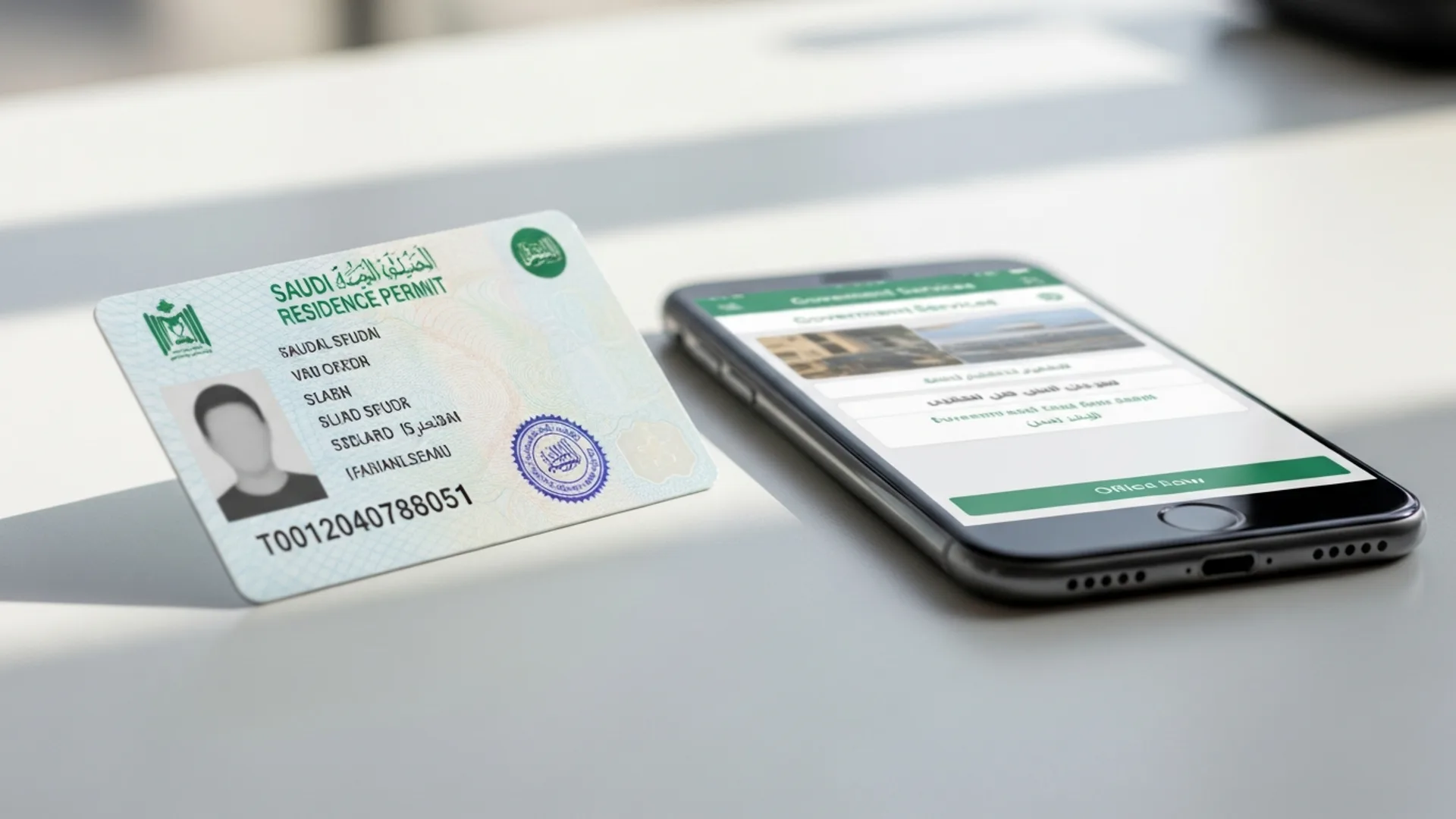
The old MOL.gov.sa iqama check no longer exists as a standalone service, the Ministry of Labor merged into the Ministry of Human Resources and Social Development (MHRSD) in 2019, and in 2026 you check iqama status through 3 free channels: Absher (absher.sa), Muqeem (muqeem.sa), and the MHRSD portal at hrsd.gov.sa. The check itself costs SAR 0 and takes under 2 minutes. This guide walks you through every screen, what replaced each old MOL service, and the current iqama fee structure (issuance/renewal around SAR 650 per year plus applicable levies, indicative).
What Happened to MOL.gov.sa? The MHRSD Transition Explained
If you typed “mol gov iqama” or “mol.gov.sa” into Google, you are looking for a portal that has been retired. The Ministry of Labor and Social Development (MLSD, previously the Ministry of Labor, or MOL) was merged into a single super-ministry, the Ministry of Human Resources and Social Development (MHRSD), as part of the Kingdom’s government-efficiency drive under Vision 2030. The old mol.gov.sa domain now redirects to hrsd.gov.sa, the official MHRSD portal.
This was not just a rebrand. The services that used to live on MOL.gov.sa were redistributed across a modern ecosystem of specialised platforms:
- Iqama status and validity checks → moved to Absher (Ministry of Interior) and Muqeem (for employers and sponsors).
- Labour-office services (work permits, contracts, Saudization/Nitaqat status) → moved to Qiwa, the MHRSD’s dedicated labour platform.
- Policy, complaints and ministry-level services → remain on hrsd.gov.sa itself.
- Cross-government access → everything is also discoverable through the national portal my.gov.sa.
So the honest, up-to-date answer to “how do I do a MOL iqama check” is: you do an MHRSD-era iqama check, using Absher, Muqeem, or Qiwa depending on who you are. The rest of this guide shows exactly how.
What Is an Iqama Check and What Does It Actually Tell You?
An iqama is the Saudi residence permit issued to expatriate workers and their dependents. The 10-digit iqama number (starting with 2) is your primary identity number in the Kingdom. It is what banks, telecoms, landlords, ZATCA (the Zakat, Tax and Customs Authority) and GOSI (the General Organization for Social Insurance) all key your records to.
A standard iqama check confirms:
- Validity and expiry date: shown in Hijri and Gregorian calendars. Note that iqama expiry follows the Hijri year (roughly 354 days), so it drifts about 11 days earlier each Gregorian year.
- Current status: valid, expired, or under processing (for example, during a renewal or profession change).
- Sponsor/employer linkage, which establishment the iqama is registered under.
- Profession recorded: the job title on file, which must match the work-permit profession in Qiwa.
Employers also use iqama-linked checks to verify work-permit status, Saudization band, and exit/re-entry visa validity, all of which flow through the same MHRSD/Ministry of Interior data backbone.
Who needs to run an iqama check in 2026?
Different users, different portals. Here is the quick routing before we go step by step:
- Expat employees and dependents: use Absher (individual account) to check your own iqama validity, expiry and funds status.
- Employers, HR teams and PROs: use Muqeem for real-time resident-status reports across all sponsored employees, and Qiwa for work-permit and contract status.
- New investors setting up in Saudi Arabia: you will encounter the iqama process when hiring your first employees or obtaining your own investor/manager iqama after MISA licensing and commercial registration. If you are at that stage, our guide to company formation in Saudi Arabia maps the full sequence from licence to iqama.
- Dependents’ sponsors: heads of family use Absher to check and renew dependent iqamas and pay the dependent levy.
Method 1, Check Iqama Status on Absher (Individuals): Step by Step
Absher, run by the Ministry of Interior, is the primary channel for individuals. The check is free and takes about 2 minutes once your account exists.
- Go to absher.sa and choose Absher Individuals (or open the Absher app on iOS/Android).
- Log in with your iqama number (or username) and password, then enter the OTP sent to your Saudi-registered mobile number.
- On the dashboard, open “My Services” → “Query” (Inquiries).
- Select “Iqama Expiry Service” (also labelled Validity of Iqama in some app versions).
- The screen displays your iqama expiry date in Hijri and Gregorian, your current status, and your sponsor establishment name.
- Optionally, open “Dashboard” → “Family Members” to run the same validity check for each dependent.
Don’t have an Absher account yet?
Register on absher.sa with your iqama number, date of birth and mobile number registered in your name, then activate the account via a self-service kiosk, an Absher-enabled ATM of your bank, or video verification in the app. Activation is free.
Method 2: Check Iqama Validity on Muqeem (Employers and Sponsors)
Muqeem, operated by Elm on behalf of the Ministry of Interior, is the employer-side resident-affairs platform. It is the closest modern equivalent to the bulk lookups HR teams used to run in the MOL era.
- Go to muqeem.sa and log in with your establishment’s Muqeem credentials (subscription required; packages are tiered by establishment size, indicative range SAR 1,000–10,000+ per year, confirm current pricing on the portal).
- Open “Resident Services” → “Resident Report”.
- Enter the employee’s iqama number or border number.
- The report returns iqama validity and expiry, passport details on file, exit/re-entry visa status, and current occupation.
- Use “Iqama Services” in the same menu to issue or renew iqamas, extend validity, or transfer information, actions the old labour office once handled on paper.
Muqeem also offers a public “Muqeem Visa Validity” tool that lets travellers verify exit/re-entry visa status without a login, useful for last-minute pre-flight checks.
Method 3: Qiwa and hrsd.gov.sa: The Labour-Side Checks (Work Permit, Contract, Nitaqat)
Because the iqama and the work permit (rukhsat al-amal) are issued by different authorities, Ministry of Interior and MHRSD respectively, a complete “MOL-style” check in 2026 has two halves. Qiwa covers the labour half:
- Log in at qiwa.sa (individual accounts for employees; establishment accounts for employers, linked via the Saudi Business Center’s unified national number).
- Employees: open “Employment Contracts” to confirm your contract is authenticated, and “Work Permits” to see permit validity.
- Employers: the “Work Permits” dashboard shows every employee’s permit status and due fees, and “Nitaqat” shows your Saudization band, which directly controls whether you can issue or renew iqamas at all.
On hrsd.gov.sa itself you will find ministry-level e-services (labour complaints, establishment file queries) and the official announcements that used to be published under the MOL banner. For anything iqama-adjacent, hrsd.gov.sa will typically route you to Qiwa, Absher or Muqeem, that routing is by design, not a dead end.
Documents and Details You Need Before You Check or Renew
The check itself needs almost nothing, one number and a login. The renewal behind it needs a little more. Have these ready before you start:
For a status check (individuals)
- Iqama number: the 10-digit number starting with 2 printed on the card.
- Active Absher account: tied to a Saudi mobile SIM registered in your name.
- Date of birth (Hijri or Gregorian as registered): occasionally requested for verification screens.
For an iqama renewal (employer/PRO side)
- Valid passport: must be valid for at least the renewal period being requested; an expired passport is a silent renewal blocker.
- Paid work-permit levy: settled in Qiwa first (see the sequencing note below).
- GOSI compliance: the employee must be correctly registered with GOSI under the establishment; mismatches surface as renewal errors.
- Valid health insurance: an active policy from a CCHI-approved insurer linked to the iqama; renewals will not process without it.
- Clear fines file: no outstanding traffic violations or unpaid dependent levies on the sponsor account.
For a first-time iqama (new arrivals)
- Entry via the employment visa issued through MOFA’s Enjaz platform, medical fitness test at an approved centre, insurance activation, GOSI registration, and biometric enrolment, after which the employer issues the iqama through Muqeem, typically within 90 days of entry.
Which Portal for Which Check? Absher vs Muqeem vs Qiwa at a Glance
Because the old single-ministry model split into specialised platforms, the fastest way to avoid dead ends is to memorise this routing:
| What you want to check | Best portal | Who can use it | Cost |
|---|---|---|---|
| My own iqama expiry / validity | Absher (absher.sa) | Individuals | Free |
| Dependent iqama status + levy balance | Absher (sponsor account) | Head of family | Free to check |
| Employee iqama report (bulk / HR) | Muqeem (muqeem.sa) | Registered establishments | Subscription-based |
| Exit/re-entry visa validity (no login) | Muqeem public visa tool | Anyone with iqama + visa number | Free |
| Work-permit status and levy bills | Qiwa (qiwa.sa) | Employees + employers | Free to check |
| Authenticated employment contract | Qiwa | Employees + employers | Free |
| Nitaqat / Saudization band | Qiwa | Employers | Free |
| Ministry announcements + labour complaints | hrsd.gov.sa / my.gov.sa | Everyone | Free |
If you remember only one rule: residence questions go to the Ministry of Interior’s platforms (Absher, Muqeem); labour questions go to MHRSD’s platform (Qiwa). The two systems talk to each other constantly, a levy unpaid on one side blocks a renewal on the other, but the login you need depends on which half of the question you are asking.
Iqama Fees and Timelines in 2026 (Indicative Table)
The fee people usually mean by “iqama fee” is the residence-permit government fee, but the true cost of keeping an employee legal includes the work-permit levy and, where relevant, the dependent levy. All figures below are indicative for 2026. Always confirm the live amount on Absher, Qiwa or Muqeem before paying, as levies and waivers change by Royal Decree and ministry decision.
| Item | Indicative 2026 amount (SAR) | Where to pay / check | Typical processing time |
|---|---|---|---|
| Iqama issuance / renewal (government fee) | ~650 per year | Absher / Muqeem (via SADAD) | Instant to 1–3 business days after payment |
| Work-permit levy (expat employee) | ~9,600 per year (~800/month); reduced where Saudis ≥ expats | Qiwa | Billed with permit issuance/renewal |
| Dependent levy | ~400 per dependent per month (~4,800/year) | Absher (sponsor account) | Payable before dependent iqama renewal |
| Exit/re-entry visa (single) | ~200 for 2 months (+100 per extra month) | Absher / Muqeem | Instant |
| Iqama status check (any channel) | 0: free | Absher / Muqeem / Qiwa | Under 2 minutes |
| Muqeem establishment subscription | ~1,000–10,000+ per year (tiered) | muqeem.sa | Activation 1–2 business days |
Payment mechanics: government fees are paid through SADAD, generate the bill in Absher or Muqeem, then pay via your bank app against the SADAD biller. The iqama renewal reflects in the system quickly, but print or save the updated Muqeem/Absher record for your files.
Common Errors and Status Messages, and What They Mean
These are the messages that generate most “mol gov iqama check” searches, with the practical fix for each:
“Iqama expired” but the employer says renewal was done
Usually a payment-sequencing issue: the work-permit levy in Qiwa must be settled before the iqama renewal in Absher/Muqeem will process. Ask HR to confirm the Qiwa bill is paid, then re-check after 24–48 hours.
“No data found” when entering the iqama number
Nine times out of ten this is a typo or the wrong number type, the border number (from your entry stamp) is not the iqama number. New arrivals whose first iqama has not yet been printed will also see this; the record appears once the Ministry of Interior issues the permit.
Renewal blocked with unpaid-fees flag
Traffic fines, expired vehicle registration, or unpaid dependent levies all block iqama renewal. Check “Traffic Violations” and “Dependents Fees” in Absher and clear them first.
Profession mismatch between iqama and Qiwa work permit
If the profession on the iqama differs from the Qiwa contract, some services will bounce. The employer must run a profession-change request through Qiwa/Muqeem before the next renewal.
Nitaqat band blocking new iqamas
If the establishment falls into a low Saudization band, MHRSD restricts new work permits and renewals. This is an employer-side fix, hire or reclassify to restore the band before permits flow again.
Iqama Checks for New Investors: Where This Fits in Your Saudi Setup
If you are reading this as a foreign investor rather than an employee, the iqama is one of the last steps in a longer chain, and 2026 is a genuinely good year to be doing it. The sequence looks like this:
- MISA investment licence: the Ministry of Investment licence that permits 100% foreign ownership in most activities. Processing is typically 3–10 business days, and MISA’s licence issue and renewal fees are suspended in 2026 (they were previously SAR 12,000 issue / up to SAR 62,000 with renewals). See our MISA licence guide for the current position.
- Commercial registration via the Saudi Business Center (mc.gov.sa): under the new Commercial Register Law effective 3 April 2025, you receive a single unified national CR (ID starting with “7”) with no expiry date; you file an annual confirmation instead. CR fees run roughly SAR 1,200–2,000 (indicative), plus Chamber of Commerce membership of about SAR 2,000–3,000 per year.
- Post-registration files: ZATCA (VAT at 15% and Fatoora e-invoicing onboarding in waves), GOSI registration (total contributions around 21.5% for Saudi employees, employer + employee), and Qiwa establishment activation.
- Visas and iqamas: investor/manager iqama first, then employee block-visa requests through Qiwa and MOFA’s visa platform (Enjaz, visa.mofa.gov.sa), with each new hire’s iqama issued via Muqeem after arrival and medicals.
Once that machine is running, the iqama checks described above become part of your monthly compliance rhythm: validity sweep in Muqeem, levy reconciliation in Qiwa, dependent fees in Absher.
How Noble Core helps you stay iqama-compliant
Noble Core manages the entire Saudi market-entry and residency chain so you never have to reverse-engineer which portal replaced which ministry. Our team handles MISA licensing, Saudi Business Center registration under the new unified CR framework, ZATCA and GOSI onboarding, Qiwa establishment setup, and the investor and employee iqama cycle end to end, issuance, renewals, levy planning and monthly validity monitoring across Absher, Muqeem and Qiwa.
Setup packages come with a fixed quote for your activity, and because we run these portals daily we catch the sequencing traps (Qiwa-before-Absher payments, Nitaqat band limits, profession mismatches) before they cost you weeks. If you are planning your Saudi entry or inheriting an existing establishment’s compliance file, talk to us. We will map your exact iqama and licensing position within one working session.
Common Mistakes to Avoid
- Searching for mol.gov.sa services on unofficial “iqama check” websites. Third-party lookup sites are frequently outdated and some harvest iqama numbers. Use only absher.sa, muqeem.sa, qiwa.sa, hrsd.gov.sa or my.gov.sa.
- Tracking iqama expiry in the Gregorian calendar only. The permit runs on Hijri dates and lands ~11 days earlier each year, set renewal reminders 60 days before the Hijri expiry.
- Paying the iqama fee before clearing the Qiwa work-permit levy. The renewal will sit in limbo; settle Qiwa first, then the Absher/Muqeem renewal.
- Confusing the border number with the iqama number. They are different identifiers; the iqama number (starting with 2) is the one every portal wants.
- Ignoring traffic fines and dependent levies until renewal week. Both hard-block the renewal; sweep them monthly in Absher.
- Letting the mobile number registered with Absher lapse. No active SIM in your name = no OTP = no access. Update the number via your telecom provider and Absher before your old SIM deactivates.
- Assuming the old MOL fee tables still apply. Levies, waivers and Saudization rules are updated regularly. Confirm current figures on the official portal before budgeting.
A final practical tip: bookmark the four official destinations, absher.sa, muqeem.sa, qiwa.sa and hrsd.gov.sa, and treat any other “iqama check” site as noise. Every legitimate service the old MOL portal offered now lives, faster and free, on one of those four.
Need help setting up in Saudi Arabia? Noble Core handles your MISA licence, commercial registration, and visas end-to-end, done right the first time.
Frequently Asked Questions
How do I check my iqama on MOL.gov.sa in 2026?
You can’t: MOL.gov.sa was retired when the Ministry of Labor merged into MHRSD. In 2026 you check iqama status free of charge on Absher (absher.sa) under My Services, then Query, then Iqama Expiry Service, or via Muqeem (muqeem.sa) if you are an employer. Both show validity, expiry date and sponsor details in under 2 minutes.
What replaced the Ministry of Labor (MOL) in Saudi Arabia?
The Ministry of Human Resources and Social Development (MHRSD) replaced the Ministry of Labor and Social Development in 2019. Its portal is hrsd.gov.sa, and its labour services now run through Qiwa (work permits, contracts, Nitaqat), while iqama validity checks sit with the Ministry of Interior’s Absher and Muqeem platforms.
How can I check my iqama expiry date without Absher?
Ask your employer’s HR or PRO to pull a Resident Report on Muqeem (muqeem.sa), which shows iqama validity, expiry and exit/re-entry status. Muqeem also has a public visa-validity tool that needs no login. There is no reliable official no-login iqama expiry check for individuals, so activating a free Absher account remains the best route.
How much is the iqama renewal fee in 2026?
The government iqama issuance/renewal fee is indicatively around SAR 650 per year, paid via SADAD after generating the bill in Absher or Muqeem. On top of that, employers pay the work-permit levy through Qiwa (indicatively about SAR 9,600 per expat per year) and sponsors pay roughly SAR 400 per dependent per month. Confirm live figures on the official portals.
Why is my iqama renewal blocked even though I paid the fee?
The most common causes are an unpaid Qiwa work-permit levy (which must be settled before the iqama renewal processes), outstanding traffic fines, unpaid dependent levies, or the employer’s Nitaqat Saudization band restricting renewals. Check each item in Absher and Qiwa, clear the blocker, and the renewal typically completes within 24 to 48 hours.
Is the iqama check on Absher, Muqeem or Qiwa free?
Yes: checking iqama status, expiry and validity is completely free on all three official channels and takes under 2 minutes. Absher serves individuals, Muqeem serves employers (the platform subscription itself is paid, indicatively SAR 1,000 to 10,000+ per year by tier), and Qiwa covers the linked work-permit and contract status for free.
What is the difference between an iqama check and a work-permit check?
The iqama (residence permit) is issued by the Ministry of Interior and checked on Absher or Muqeem, while the work permit is issued by MHRSD and checked on Qiwa. Both must be valid for an expat to work legally, and the professions recorded on each must match, a mismatch can block renewals and other government services.
Do foreign investors need an iqama to run a company in Saudi Arabia?
Yes, after obtaining a MISA licence (fees suspended in 2026, processing typically 3 to 10 business days) and the unified commercial registration, the investor or appointed manager obtains an iqama to operate locally, open bank accounts and sponsor employees. Noble Core manages this full chain, with a fixed quote for your activity.